Contact us at support@vikeri.tech
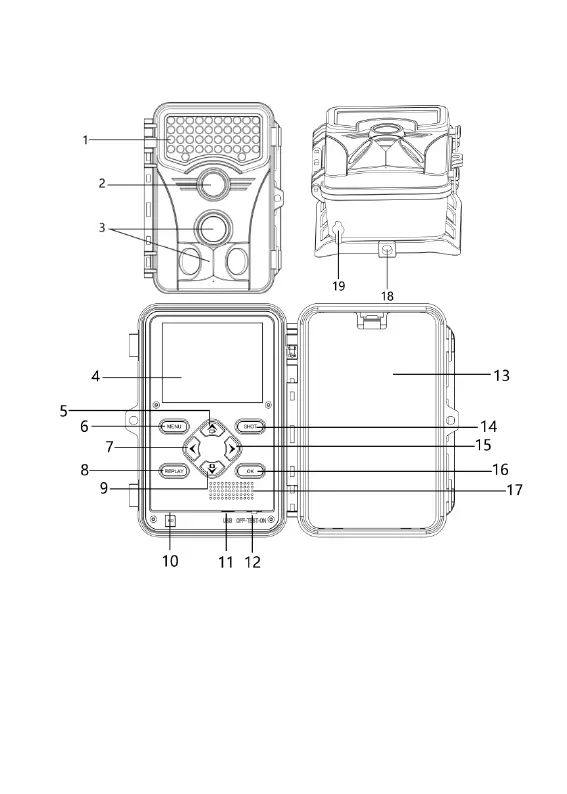
PRODUCT DIAGRAM
1.Infrared LEDs 2. Lens 3. PIR motion sensor
4. LCD screen 5. Up/Video Mode 6. Menu button
7. Left button 8. Replay button 9.Down/Photo Mode
10. SD card slot 11. USB slot 12. OFF/TEST/ON
13. Battery Slots 14. Shot button 15. Right Button
16. OK button 17. Speaker 18. Fixation port
19. 6V 1.5A Power supply port


 To Next Page