Contact us at support@vikeri.tech
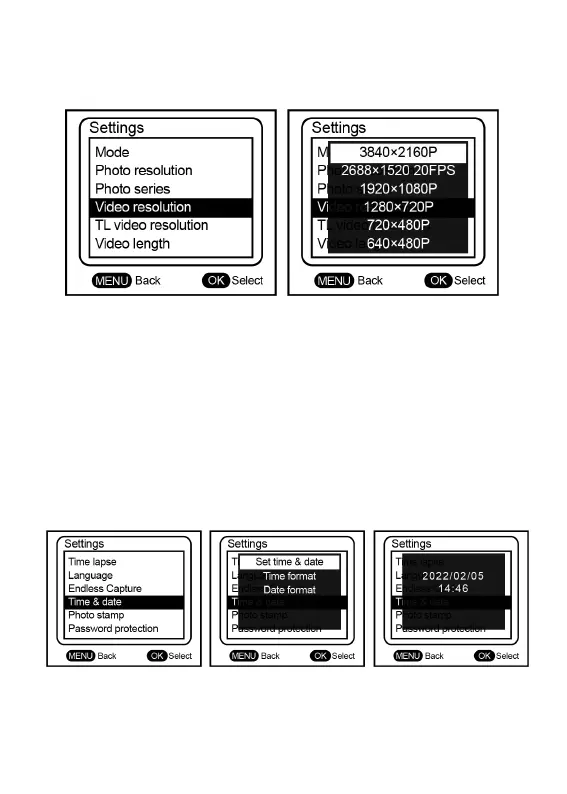
9) Switch to 1520P video pixels(MENU→Video resolution→4K
10) Menu→ Mode → Video→ OK (This tutorial is only a tutorial for recording
video in motion detection mode)
11) Menu→ Video length→ 20S→ OK (Or other recording length you wish)
12) Menu→ Shot lag → 10 S → OK (Explain this function of more detail later)
13) Menu→ Sensitivity motion sensors→ Middle→ OK
14) Menu→ Target recording time→ off → OK
15) Menu→ Time lapse→ off→ OK
16) Menu→ Time&date→ Set time&date→ set system time


 To Next Page