EasyManua.ls Logo

Viking 56796 - User Manual

Viking 56796
12 pages
Print Icon
To Next Page IconTo Next Page
Loading...
Visit our website at: http://www.harborfreight.com
Email our technical support at: productsupport@harborfreight.com
CHARGE
COMPLETELY
IMMEDIATELY
AFTER
PURCHASE.
Fully recharge
after each use.
Fully recharge every
3 months to ensure
long battery life.
Owners Manual & Safety Instructions
Save This Manual Keep this manual for the safety warnings and precautions, assembly,
operating, inspection, maintenance and cleaning procedures. Write the product’s serial number in the
back of the manual (or month and year of purchase if product has no number). Keep this manual and the
receipt in a safe and dry place for future reference. 22k
When unpacking, make sure that the product is intact
and undamaged. If any parts are missing or broken,
please call 1-888-866-5797 as soon as possible.
Copyright
©
2022 by Harbor Freight Tools
®
. All rights reserved.
No portion of this manual or any artwork contained herein may be reproduced in
any shape or form without the express written consent of Harbor Freight Tools.
Diagrams within this manual may not be drawn proportionally. Due to continuing
improvements, actual product may differ slightly from the product described herein.
Tools required for assembly and service may not be included.
Read this material before using this product.
Failure to do so can result in serious injury.
SAVE THIS MANUAL.
Question and Answer IconNeed help?

Do you have a question about the Viking 56796 and is the answer not in the manual?

Summary

Safety Instructions and Definitions

Warning Symbols and Definitions

Defines hazard levels, symbols, and units used in the manual for safety.

Specific Warning Markings

Highlights specific safety warnings related to eye protection and fire hazards.

Important Safety Instructions

Safe Charger Handling & Extension Cords

Key instructions for safe operation, handling, extension cord use, and avoiding damage.

Battery Hazards & Personal Precautions

Critical warnings about explosive gases and personal protective actions when near batteries.

Vehicle Battery Charging Safety

Safety procedures for connecting charger to a battery installed in a vehicle.

Off-Vehicle Battery Charging Safety

Safety procedures for connecting charger to a battery removed from a vehicle.

Battery Handling & Grounding Safety

Precautions for battery handling, maintenance, grounding, and AC cord connection.

Product Specifications and Setup

Setup Safety Reminder

Reminder to read all safety information before setup and use.

Charger Controls and Features

Overview of the charger's buttons, display, and built-in protection features.

Operating Procedures

Pre-Operation Safety and Preparation

Critical warnings before operating and steps for preparing the battery and environment.

Charger Location and Placement

Guidelines for optimal and safe placement of the charger.

Charging Battery Connection Procedures

Connecting Battery Installed in Vehicle

Detailed safety steps for connecting charger to a vehicle battery.

Connecting Battery Outside Vehicle

Detailed safety steps for connecting charger to a battery removed from vehicle.

Operation and Charging Modes

Charging Process Overview

Steps for connecting, setting parameters, and starting the charging process.

Reconditioning and Winter Modes

Instructions for using battery reconditioning and winter charging modes.

Maintenance and Troubleshooting

Maintenance Instructions

Procedures for inspecting, cleaning, and maintaining the charger safely.

Troubleshooting Error Codes

Identifies common error codes, their causes, and likely solutions.

Warranty and Compliance

Limited 90 Day Warranty

Details the warranty coverage, limitations, and claim process.

FCC Compliance Statement

Information regarding FCC rules and potential radio frequency interference.

Summary

Safety Instructions and Definitions

Warning Symbols and Definitions

Defines hazard levels, symbols, and units used in the manual for safety.

Specific Warning Markings

Highlights specific safety warnings related to eye protection and fire hazards.

Important Safety Instructions

Safe Charger Handling & Extension Cords

Key instructions for safe operation, handling, extension cord use, and avoiding damage.

Battery Hazards & Personal Precautions

Critical warnings about explosive gases and personal protective actions when near batteries.

Vehicle Battery Charging Safety

Safety procedures for connecting charger to a battery installed in a vehicle.

Off-Vehicle Battery Charging Safety

Safety procedures for connecting charger to a battery removed from a vehicle.

Battery Handling & Grounding Safety

Precautions for battery handling, maintenance, grounding, and AC cord connection.

Product Specifications and Setup

Setup Safety Reminder

Reminder to read all safety information before setup and use.

Charger Controls and Features

Overview of the charger's buttons, display, and built-in protection features.

Operating Procedures

Pre-Operation Safety and Preparation

Critical warnings before operating and steps for preparing the battery and environment.

Charger Location and Placement

Guidelines for optimal and safe placement of the charger.

Charging Battery Connection Procedures

Connecting Battery Installed in Vehicle

Detailed safety steps for connecting charger to a vehicle battery.

Connecting Battery Outside Vehicle

Detailed safety steps for connecting charger to a battery removed from vehicle.

Operation and Charging Modes

Charging Process Overview

Steps for connecting, setting parameters, and starting the charging process.

Reconditioning and Winter Modes

Instructions for using battery reconditioning and winter charging modes.

Maintenance and Troubleshooting

Maintenance Instructions

Procedures for inspecting, cleaning, and maintaining the charger safely.

Troubleshooting Error Codes

Identifies common error codes, their causes, and likely solutions.

Warranty and Compliance

Limited 90 Day Warranty

Details the warranty coverage, limitations, and claim process.

FCC Compliance Statement

Information regarding FCC rules and potential radio frequency interference.

Overview

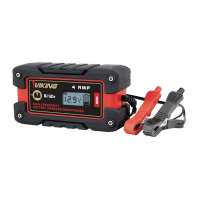
The VIKING Microprocessor Controlled Battery Charger is a versatile device designed for charging and maintaining 12-volt lead-acid batteries, including standard, AGM, and GEL types. It is not intended for use with dry-cell batteries or for supplying power to low-voltage electrical systems other than starter-motor applications. The charger features microprocessor control for optimized charging and includes various protection features to ensure safe operation.

Function Description:

The primary function of this device is to charge and maintain 12-volt lead-acid batteries. It offers multiple charging rates (2A, 8A, 15A, and automatic) and specialized modes such as reconditioning for weak, sulfated, or deeply discharged batteries, and a winter charging mode for cold weather conditions. The charger automatically switches to a float charge/maintenance mode once the battery is fully charged. It also incorporates safety mechanisms like overheating protection, reverse polarity protection, and overcharging protection.

Important Technical Specifications:

  • Electrical Rating: 120VAC / 60Hz / 3.5A
  • Charge Settings: 2A / 8A / 15A / AUTO
  • Battery Cables: 6 feet, 14 AWG (Red = Positive, Black = Negative)
  • Power Cord: 6 feet
  • Battery Compatibility: 12-volt Standard, AGM, and GEL lead-acid batteries.

Usage Features:

The charger is equipped with an LCD display that shows charging status, current, voltage, battery type, recondition mode, winter mode, and error codes.

  • Amperage Button: Used to select the desired amperage output (2A, 8A, 15A) or automatic charging rate.
  • Battery Type Button: Used to select the battery type (Standard or AGM; GEL batteries use the standard setting).
  • Charge Button: Initiates manual charging.
  • Recondition Button: Activates the battery reconditioning function to recover weak, sulfated, or deeply discharged batteries. This process helps restore battery capacity and extend life.
  • Winter Mode Button: Activates a specialized charging mode for cold weather conditions, indicated by a snowflake icon on the LCD. Pressing the button again exits this mode.
  • Automatic Charging: If no charging amp or battery type settings are selected within 30 seconds, the charger defaults to an automatic charging rate for a standard battery.
  • Float/Maintenance Mode: Once a battery is fully charged, the charger automatically transitions to a maintenance mode to prevent overcharging and keep the battery at an optimal level.
  • Error Codes: The LCD displays specific error codes for issues such as reverse polarity (clamps connected to wrong terminals), overheating (charger is overheating), battery voltage too high (charger connected to a 24V battery), overtime charging (appliance drawing power or charging rate too low), and battery failure (defective battery).

Safety Precautions for Use:

  • Always wear ANSI-approved splash-resistant safety goggles and heavy-duty rubber work gloves when connecting, disconnecting, or working near the battery to protect against battery acid.
  • Ensure the charging area is well-ventilated to prevent the accumulation of explosive gases.
  • Clean battery terminals carefully, avoiding contact with eyes.
  • For standard lead-acid batteries, add distilled water to each cell until the acid reaches the level specified by the manufacturer. Follow manufacturer instructions for sealed batteries.
  • Determine the battery voltage and ensure it matches the charger's output rating.
  • Never operate the charger with a damaged cord or plug.
  • Do not disassemble the charger; service should be performed by a qualified technician.
  • Unplug the charger from the outlet before performing any maintenance or cleaning.
  • Avoid smoking, sparks, or flames near the battery or engine.
  • Remove personal metal items (rings, bracelets, watches) when working with lead-acid batteries to prevent short-circuits and severe burns.
  • Position AC and DC cables to minimize damage from the hood, door, or moving engine parts.
  • Stay clear of fan blades, belts, and pulleys.
  • Always check battery post polarity: POSITIVE (POS, P, +) posts are usually larger than NEGATIVE (NEG, N, -) posts.
  • For negative-grounded vehicles, connect the POSITIVE (RED) charger clip to the POSITIVE battery post, then connect the NEGATIVE (BLACK) clip to the vehicle chassis or engine block away from the battery.
  • For positive-grounded vehicles, connect the NEGATIVE (BLACK) charger clip to the NEGATIVE battery post, then connect the POSITIVE (RED) clip to the vehicle chassis or engine block away from the battery.
  • When disconnecting, reverse the connection sequence: unplug AC cord, remove the chassis clip, then remove the battery terminal clip.
  • When charging a battery outside a vehicle, attach a 24-inch-long 6-gauge insulated battery cable to the NEGATIVE battery post, connect the POSITIVE (RED) charger clip to the POSITIVE battery post, then connect the NEGATIVE (BLACK) charger clip to the free end of the cable, positioning yourself away from the battery.
  • Do not face the battery when making the final connection.
  • Do not charge more than one battery at a time.
  • Do not use the charger if you are tired or under the influence of drugs, alcohol, or medication.
  • Individuals with pacemakers should consult their physician before use and take extra precautions, including avoiding operating alone, maintaining and inspecting the device, properly grounding the power cord, and implementing a Ground Fault Circuit Interrupter (GFCI).

Maintenance Features:

  • Regular Inspection: Before each use, inspect the charger for loose hardware, cracked or broken parts, damaged electrical wiring or cable insulation, or any other condition that might affect its safe operation.
  • Cleaning: After each use, wipe the external surfaces of the tool with a clean cloth.
  • Storage: Store the charger indoors, out of reach of children, after use and cleaning.
  • Professional Service: Procedures not specifically explained in the manual must be performed by a qualified technician. If the charger is damaged, it must be replaced by a qualified service technician. Do not open the charger housing, as there are no user-serviceable parts inside.
  • Overheating Protection: The charger will automatically shut off if it overheats and resume operation once it has cooled down.
  • Overcharging Protection: If a battery cannot be fully charged within 24 hours, the charger will automatically stop charging.
  • Reverse Polarity Protection: If cables are connected incorrectly, the charger will not function, and the LCD will display a reverse polarity error code.

The VIKING Microprocessor Controlled Battery Charger is designed for reliability and ease of use, providing essential features for proper battery care while prioritizing user safety.

Viking 56796 Specifications

General IconGeneral
BrandViking
Model56796
CategoryBattery Charger
LanguageEnglish

Related product manuals