Trade Shows or Customer Demonstrations
Communicate Between Phone Systems without Using Outside Lines
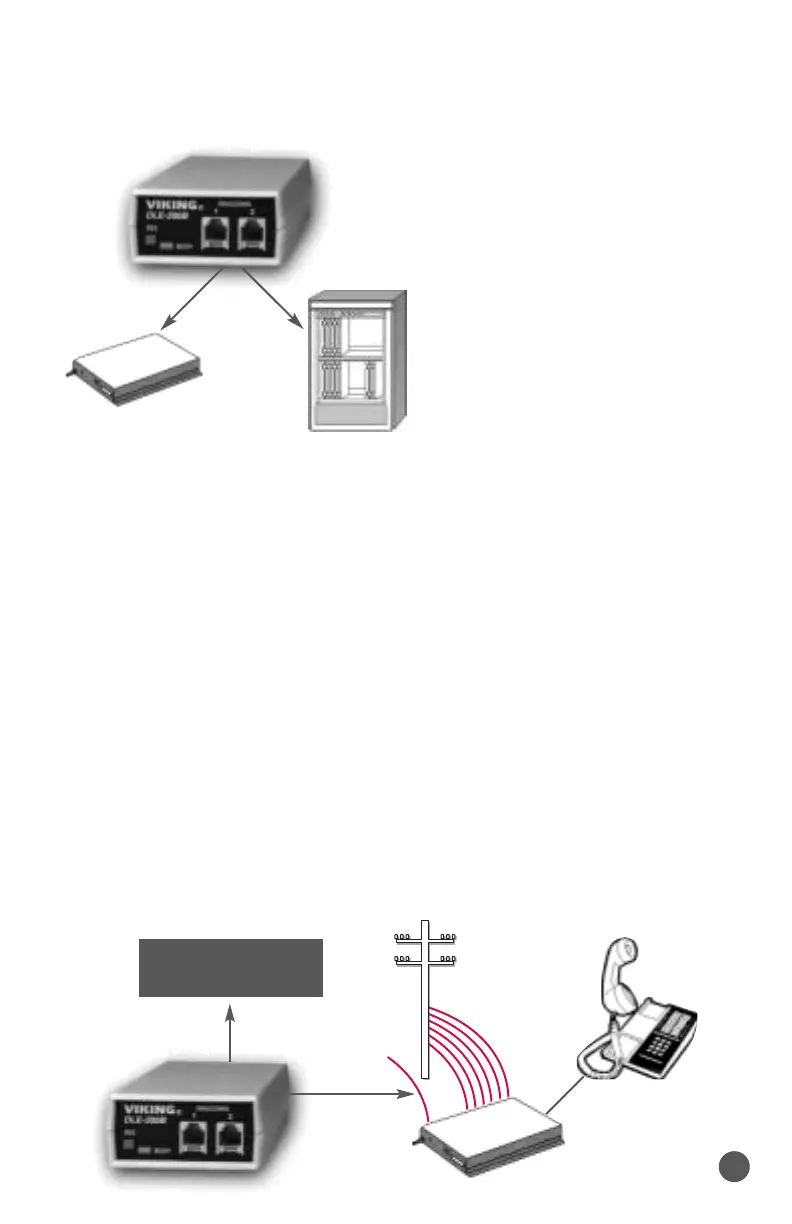
By using the DLE-200B
with 2 phone systems you can
demonstrate the ringing on the
phone systems and all the fea-
tures. The DLE-200B elimi-
nates the need to locate phone
lines and disrupt the phone
service during the demonstra-
tion. Demonstrations can be
complete and comprehensive,
but non-disruptive.
Using Dictaphone Dictation Equipment,Dialogic
Cards,etc. on Electronic Key
Many electronic key systems will not support Dictaphone dictation
equipment,Dialogic cards (or any equipment that requires interaction
with a Touch Tone phone) connected to the key system single line or OPX
station card. Proprietary key telephones do not send Touch Tones (only
data) on a station to station call.
Proprietary key telephones will send Touch Tones on outside calls.
Connect a Viking DLE-200B ringdown circuit to an unused key system
line input. Then connect the Touch Tone interactive equipment to another
DLE-200B port. When a key system user selects that line position,the
DLE-200B will ring the Touch Tone interactive equipment and it can now
send the Touch Tone commands.
Because the DLE-200B has much lower audio loss than a central
office, the Touch Tones will be too “HOT” in most applications. They
should be attentuated by setting switch 3 to the “ON” position.
KSU/PABX
KSU/PABX
C.O.
Unused
Line Input
PABX
Dictation equipment,
dialogic cards, etc.
3



 To Next Page