EasyManua.ls Logo

Viking VUWC144 - User Manual

Viking VUWC144
25 pages
Print Icon
To Next Page IconTo Next Page
Loading...
Manual
This manual is to be used by qualied appliance technicians only.
Viking does not assume any responsibility for property damage
or personal injury for improper service procedures done by an
unqualied person.
Service
SMR-0003
July 2008
DFRD144
DFUR143
DFUR144
DFUW144
DUAR143
DUAR144
DURD144
DUWC144
VUAR143
VUAR144
VURD144
VUWC144
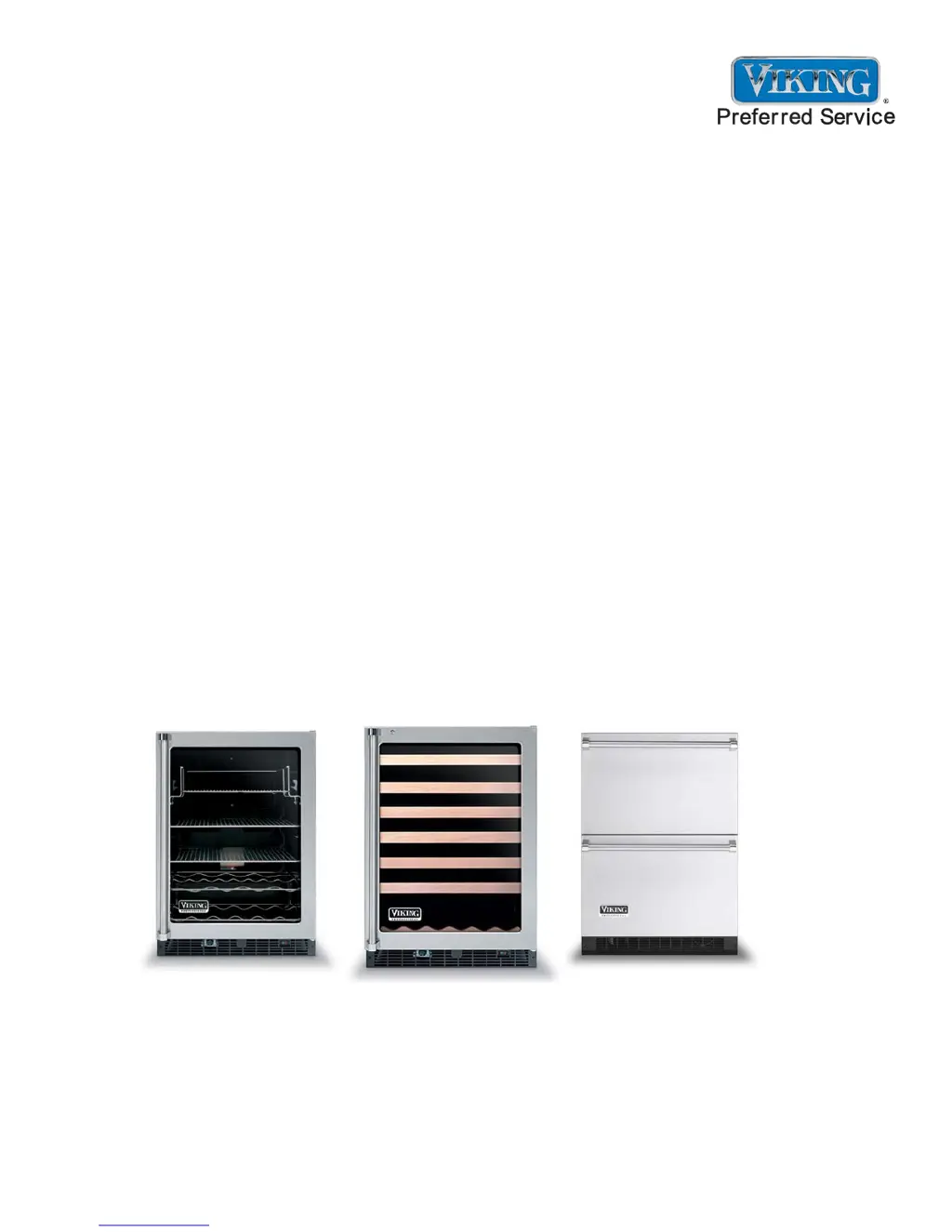
2008 24 Inch
Undercounter
Refrigeration
This Base Manual covers general and
specic information including, but not
limited to the following models:

Questions and Answers

  • B
    brendaloveAug 21, 2025
    Why Viking VUWC144 unit does not operate?
    • K
      karen16Aug 21, 2025
      Your Viking Refrigerator might not be operating due to a couple of reasons: * It may be unplugged. In this case, plug in the unit. * You might not have held the “ON/OFF” button on the display panel long enough. Try pressing and holding the “ON/OFF” button for five seconds.
  • P
    Paul JohnsonSep 4, 2025
    What to do if compressor, condenser fan, internal fan(s), heater, reverse gas solenoid, and alarms are not working on Viking VUWC144?
    • M
      Michelle WernerSep 4, 2025
      If the compressor, condenser fan, internal fan(s), heater, reverse gas solenoid, and alarms are not working but the display is functioning normally, it is likely that Show Room Mode is enabled. To exit Show Room Mode, press and hold the “ON/OFF” button while performing a “Power On Reset” (POR), meaning disconnect and reconnect the power supply to the unit.
  • M
    Matthew RiceSep 2, 2025
    How to enable Show Room Mode on Viking VUWC144 Refrigerator for customer demonstration?
    • Y
      Yvonne ThompsonSep 2, 2025
      To enable Show Room Mode for a customer demonstration, press and hold the “ON/ OFF” button on the display panel while performing a “Power On Reset” (POR), which means disconnecting and reconnecting the power supply to the unit.
  • T
    Trevor Maldonado DDSSep 1, 2025
    Why Sabbath Mode automatically disabled on Viking VUWC144 Refrigerator?
    • S
      Susan ReedSep 1, 2025
      Sabbath Mode automatically disables after 72 hours. To restart it, press and hold the “SET” button while pressing the “ °F/C” button four times within seven seconds.
  • A
    Amanda DixonAug 30, 2025
    How to disable Sabbath Mode on Viking VUWC144 Refrigerator?
    • M
      Monique RobinsonAug 30, 2025
      To disable Sabbath Mode, press and hold the “SET” button while pressing the “ °F/C” button four times within seven seconds. Sabbath Mode will also automatically disable after 72 hours.
  • A
    Angel BautistaAug 29, 2025
    How to engage Sabbath Mode on Viking VUWC144 Refrigerator?
    • J
      Jessica BrownAug 29, 2025
      To engage Sabbath Mode on your Viking Refrigerator, press and hold the “SET” button while pressing the “ °F/C” button four times within seven seconds. The display will flash “SA” seven times, indicating that the unit has entered Sabbath Mode.
  • S
    Steve CooperAug 27, 2025
    What does it mean if LED light flashing amber and no audible signal heard on Viking Refrigerator?
    • R
      Rebecca WilliamsAug 27, 2025
      If the LED light is flashing amber and there is no audible signal, this indicates a Power Failure alarm. You can reset the audible and display alarms by pressing the “ON/OFF” button for approximately one second. Keep in mind that this alarm is normal upon initial installation because the unit was run at the factory to verify quality, and the alarm will resume if the alarm condition still exists.
  • K
    kathyaveryAug 26, 2025
    What to do if audible alarm sounding six times every minute and LED light flashing red on Viking Refrigerator?
    • S
      Sandra HernandezAug 27, 2025
      If you hear an audible alarm sounding six times every minute and the LED light is flashing red, this indicates a High and Low Temperature alarm. Press the “ON/OFF” button for approximately one second to reset the audible and display alarms. Note that the alarm will resume if the alarm condition still exists.
  • G
    Gregory BerryAug 25, 2025
    What to do if audible alarm sounding three times every 30 seconds and LED light flashing green on Viking Refrigerator?
    • R
      Ricardo JohnsonAug 25, 2025
      If you hear an audible alarm sounding three times every 30 seconds and see the LED light flashing green, this indicates a Door Ajar alarm. To resolve this, simply close the refrigerator door securely.
  • S
    Sarah BishopAug 23, 2025
    Why temperature controls are not raising or lowering the set temperature on Viking Refrigerator?
    • J
      Joseph WongAug 23, 2025
      If the temperature controls are not adjusting the set temperature, make sure you press and hold the “SET” button while pressing either the “WARMER” or “COLDER” button. This will raise or lower the set temperature by one degree F or C, depending on the setting.

Summary

Important Information

Notices for Service Technicians

Guidelines and responsibilities for qualified appliance technicians performing service on Viking products.

Safety Symbols and Warnings

Explanation of safety symbols (Danger, Warning, Caution) to ensure safe operation and prevent injury.

General Information

Preparation Before Servicing

Essential safety precautions and work area preparation before attempting any service on Viking products.

Electrical Requirements

Specifies electrical needs, including voltage, frequency, and proper grounding, with safety warnings.

Sealed System Basics

Fundamental practices for servicing sealed refrigeration systems, emphasizing leak detection and component replacement.

Diagnostic Information

System Leaks and Restrictions

Diagnosing low side leaks, high side leaks, and restricted capillary tubes within the refrigeration system.

Re-charging Procedures

Step-by-step instructions for re-charging the refrigeration system after repairs.

Thermistor Component Overview

Details the functions of evaporator and display thermistors and the consequences of their failure.

Warning Alarms and Resetting

Explanation of warning alarms (door ajar, temperature, power failure) and how to reset them.

Compressor Component Overview

Details on the compressor's role and common faults, including electrical checks.

Error Code Detection and Reference

Information on error codes generated by the system and their potential causes and troubleshooting steps.

Troubleshooting Procedures

System Component Failure Troubleshooting

Troubleshooting when compressor, fans, heater, or alarms are not working correctly.

Alarm Condition Troubleshooting

Diagnosing and resolving audible alarms for door ajar and high/low temperature conditions.

Error Code Troubleshooting

Diagnosing and resolving specific error codes (E1-E4) related to component failures.

Component Testing Procedures

Thermistor Component Testing

Testing methods for display and evaporator thermistors, comparing resistance values to temperature charts.

Viking VUWC144 Specifications

General IconGeneral
BrandViking
ModelVUWC144
CategoryRefrigerator
FinishStainless Steel
Energy Star CertifiedNo
InstallationBuilt-In
DoorGlass
Weight150 lbs
TypeWine Cellar
Temperature Range40°F - 65°F
Shelves6
Width23.875 inches

Related product manuals