English
16
Separating · Attaching Battery
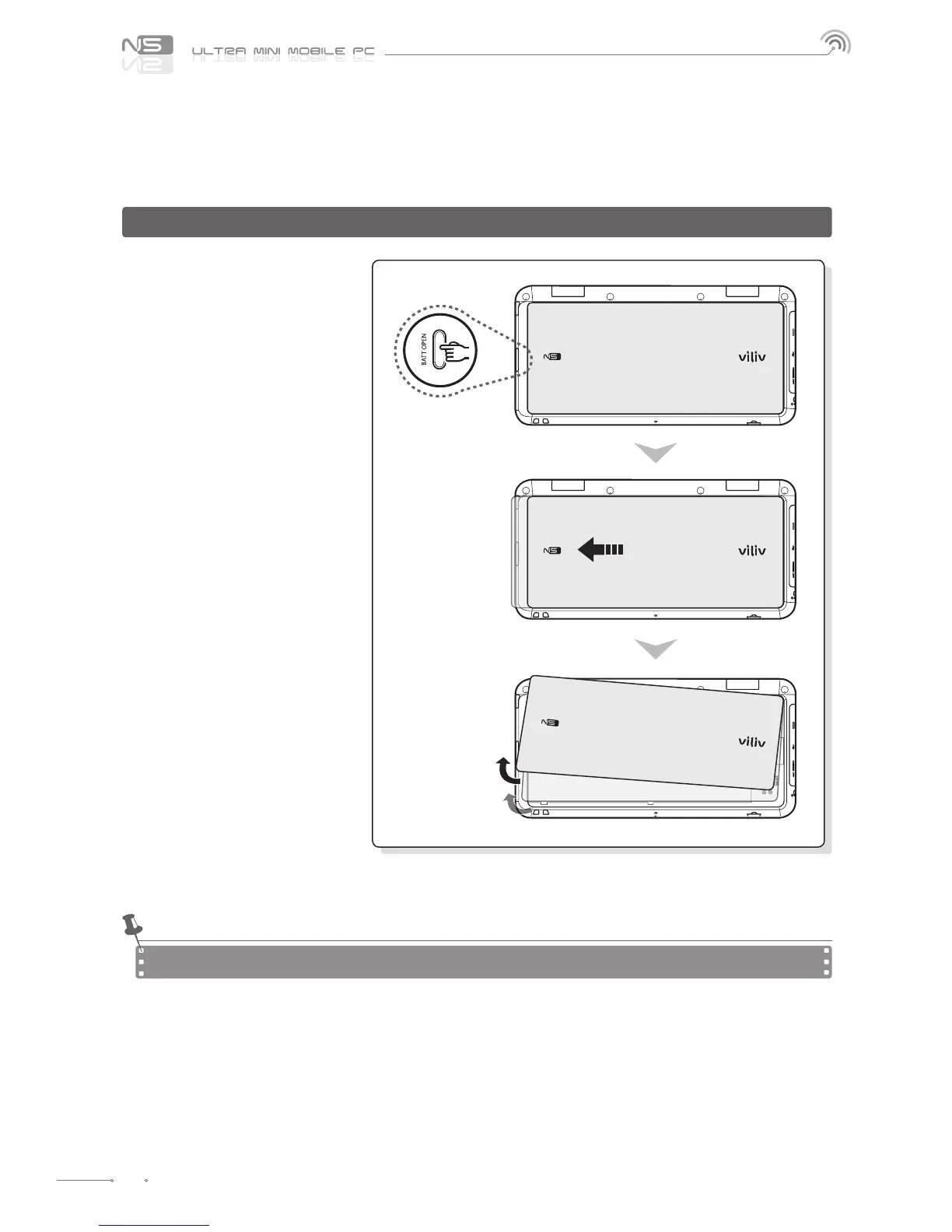
Separating Battery
How to Remove the Battery
Press the Battery Open button on the
right side of the handset
Push the button in the direction
of the arrow.
Hold the tip of the battery and
lift it up.
To avoid electric shock, make sure to turn the power o rst and then separate the battery.
Notice



 To Next Page