English
19
Basic Operation
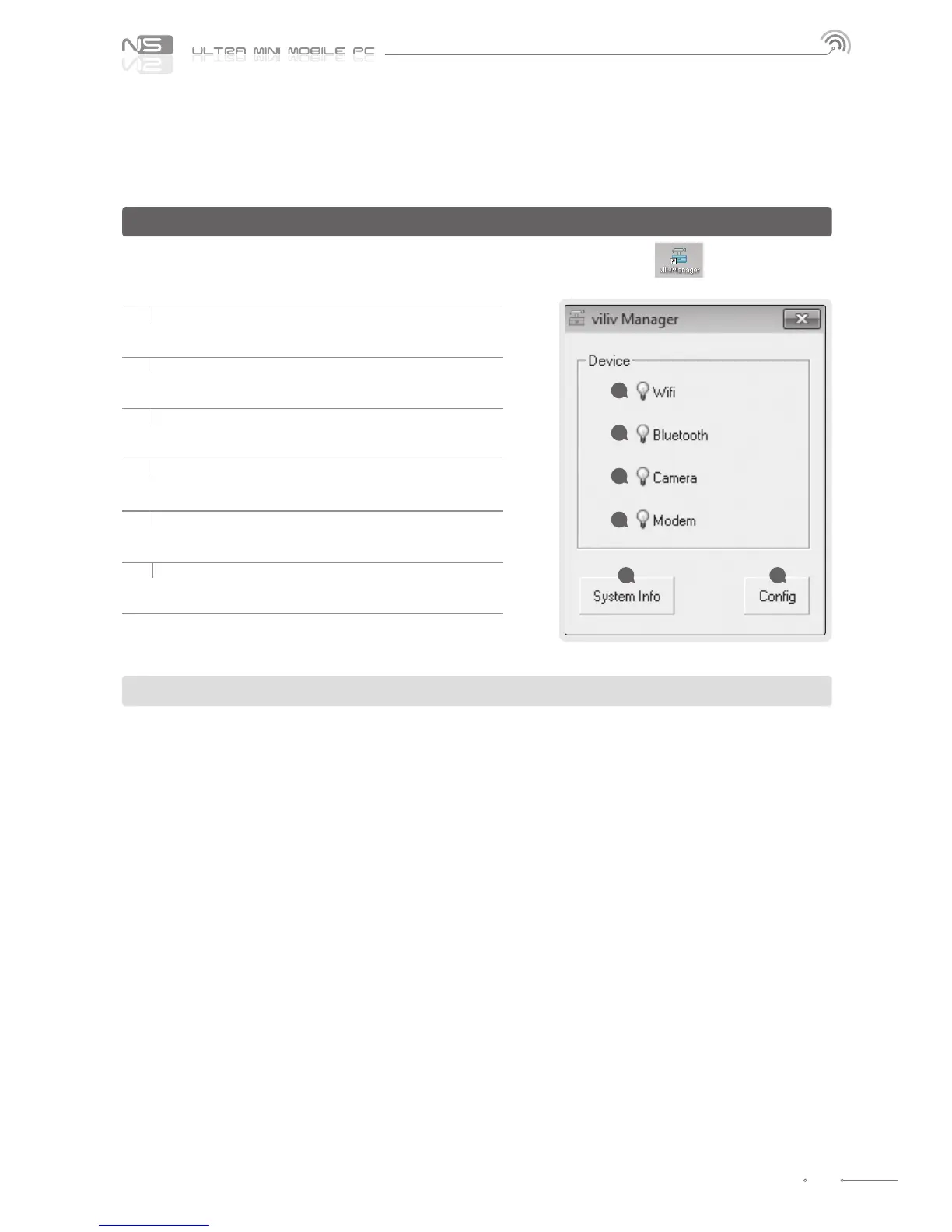
Set Up for viliv Manager
1 Wireless LAN Power
Activate the wireless LAN.
2 Bluetooth Power
Activate the Bluetooth function.
3 Camera Power
Activate the webcam.
4 Modem Power
Activate the Modem function.
5 System Information
To check the product information.
6 Cong
Congure the environment settings.
WiFi and 3G Modem (or HSDPA, HSUPA) do not operate simultaneously.
viliv Manager is executed by double touching vilivManager on the screen.
1
2
3
4
5 6



 To Next Page