EX
X70
M
o
b
i
l
e
I
n
t
e
r
n
e
t
D
e
v
i
c
e
11
English
MID
Installation and Cable Connection
The connections of external devices may vary in accordance with products.
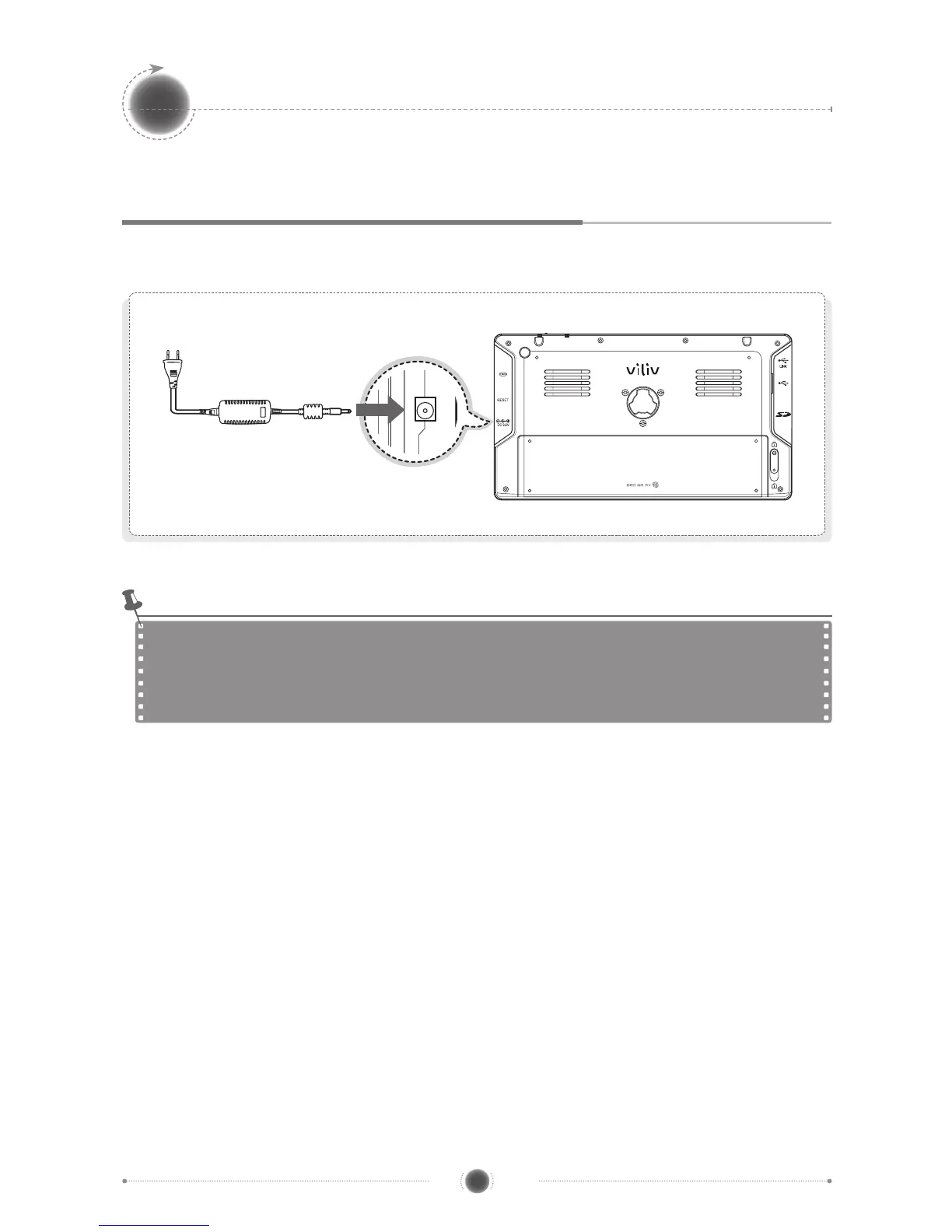
Power Connection (Charging Adaptor)
The charger is connected to the power adapter terminal on the left side of the station.
Power Status Indicator: Power Off / Standby Mode / Max. Power Saving Mode
While charging: Red / Fully charged: Blue off
Power On Mode
While charging: Red / Fully charged: Blue
Notice


 To Next Page