EX
X70
M
o
b
i
l
e
I
n
t
e
r
n
e
t
D
e
v
i
c
e
18
English
MID
Using for the First Time
Using for the First Time
For each Windows installation process, the installation time may vary depending on the
process. Please wait until the installation is complete.
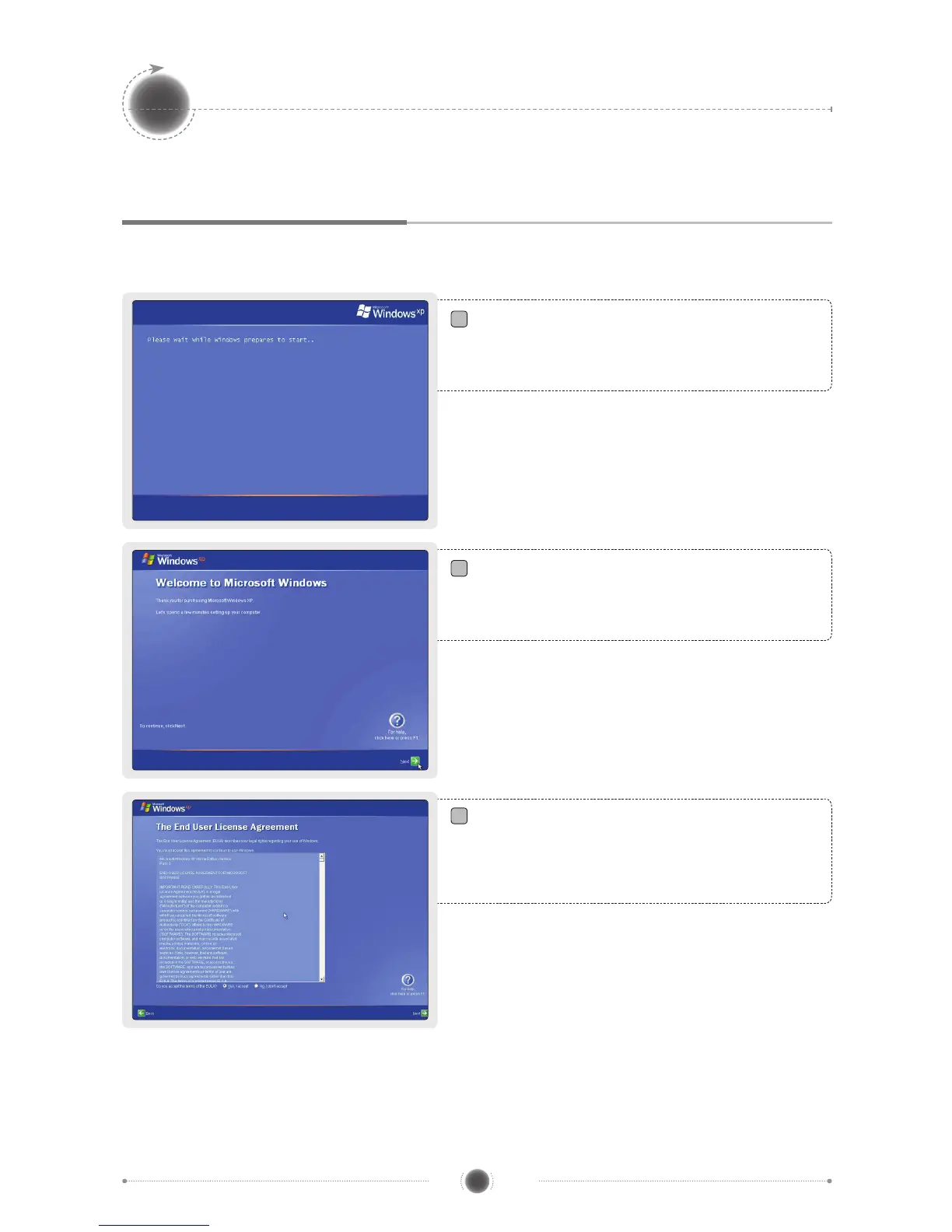
Along with the start of Microsoft Windows XP
Home, the preparation screen for starting
Windows appears as in the following gure.
The Windows start screen for setting up
computer appears.
Click
next
to continue.
The agreement for end user’s right of use
appears on the screen. Read it carefully, and
select
“Yes, I agree. (Y)”
if you agree, and
then click
next.
1
2
3


 To Next Page