SERVICE MANUAL
Troubleshooting
Rotograph EVO (Rev. 1)
8-52
8.3.6.3. RX emission
This menu is used to test the X-ray emission excluding all interlocks that
are active during examination. It is used to test the function of the X-ray
generator and tube head assembly.
At the selection of the X-ray emission test, the display will show the
following message
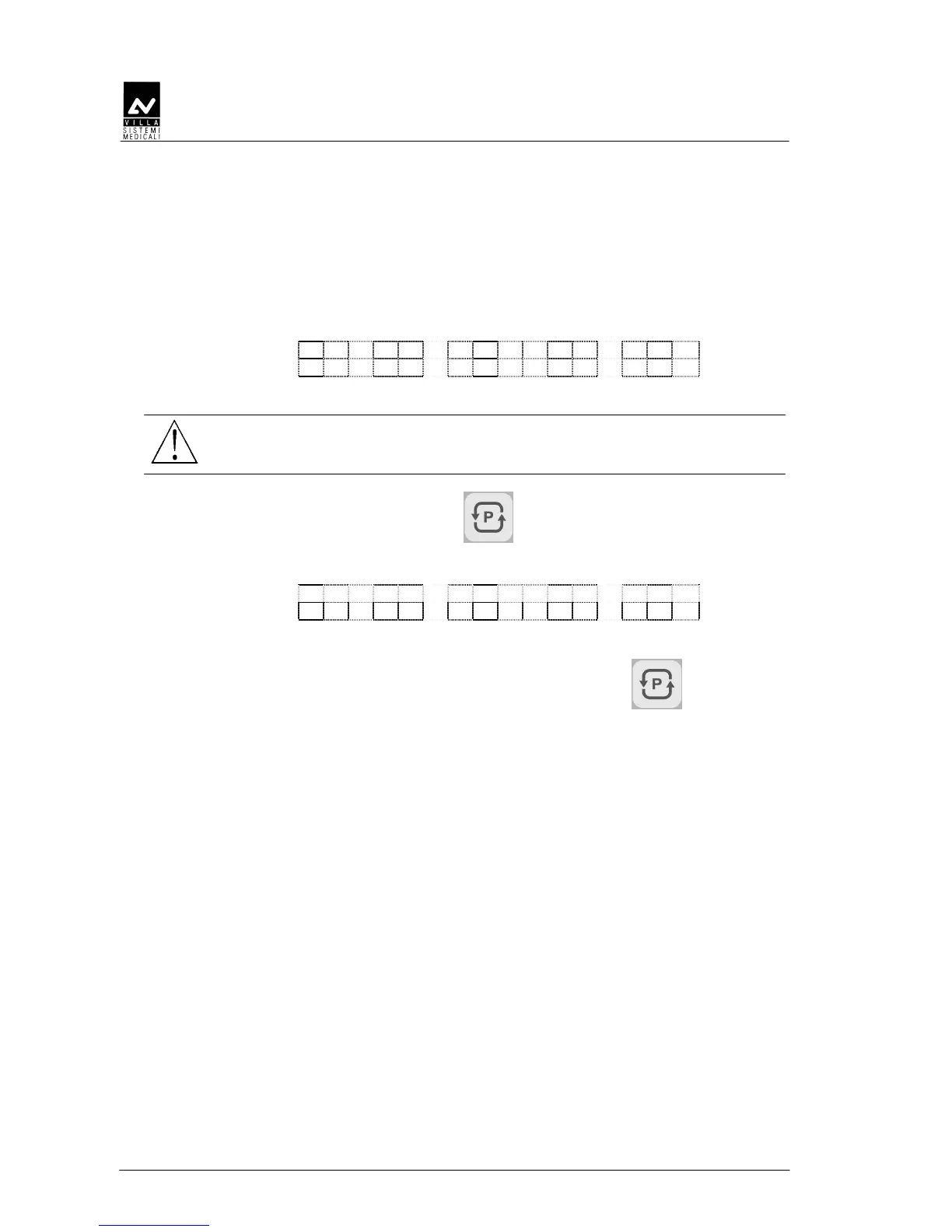
7 2 k V 0 6 m A 1 4 . 0 s
X - R A Y P A R A M E T E R S
WARNING:
In this menu the emission is enabled; it starts with the X-ray button
press, so take care of this situation.
Pressing the parameter changes key, it is possible to choose a
different combination of parameters. Once pressed, the display will show:
> 7 2 k V 0 6 m A 1 4 . 0 S
Where the symbol ">" is showing the parameter to be changes; in this
case the kV. To move to mA and exposure time, press key once or
twice again.
In this situation, the keys increase and decrease will change the
parameter.
Pressing the X-ray button will start the emission.


 To Next Page