1 1
To ensure correct operation, choose an int-
erval at least one second longer than the
exposure time.When using autofocus, set
the delay to two seconds or more and choo-
se an interval at least two seconds longer
than the exposure time to ensure that the
camere has time to focus. When using long
exposure noise reduction (available with
some digital cameras), the interval should
be at least twice the exposure time.
Intervals of 00:00:00 will automatically
be reset to 00:00:01 when the
button
( ) is pressed to put settings into effect.
To set the number of shots to-- (unlimited) ,
select
and press the arrow button( )
down or select
and press the arrow
tutton up.
Timed Photography (5/7)
After adjusting all settings as desired,
press the button ( ) to put the new
settings into effect. Timer will issue a beep-
(speakers in the open aircumstances), and
the “ ” indicator will go out.
The new settings will remain in effect until
changed or until the batteries are removed
or exhausted.
Press the button ( ).
The timer will start and “ ”
( )will falsh in the show panel. Between
shots, the control panel will show the time
remaining until the next photograph is
taken. Two second focus output, focus and
the release of light-green light.
While the shutter is open, the show
panel will show the time remaining until the
shutter closes, and the release lamp and
“ ” indicator( )will flash at one-
second intervals. Focus and the release
indicator Lianghong Deng. If the speaker is
tured on, the timer will be issued one
second intervals for the beeps, each take a
picture, the remaining number of shots will
be updated.
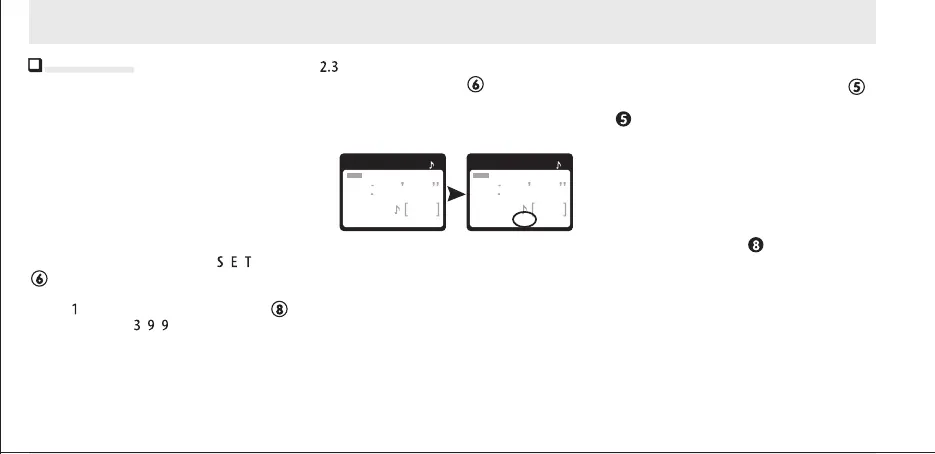
0 1 10 30
20
SET
DELAY LONG INTVL N
0 1 10 30
20
DELAY LONG INTVL N
Setting the timer
SET
SET
3. Set the timer
TIMER START/STOP
TIMER ACTIVE
RELEASE


 To Next Page