1 4
Manual Release
The JY-710 shutter-release button( ) fun-
ctions in much the same way as the camera
shutter-release button.
Connect the JY-710 (pg.6) and turn the
camera on. Choose exposure mode, shutter
speed, focus mode, and shooting mode as
desired.
Press the JY-710TX shutter-release butt-
on ( ) halfway and check focus and ex-
posure, Focus and the release of bright
green light. And then click to complete
their photographs. When the shutter op-
ens, focus and the release indicator red
light every one second camera issued a
beep, the “ ” indicator ( ) will
flash, and the display will show the
shutter has opened the time.
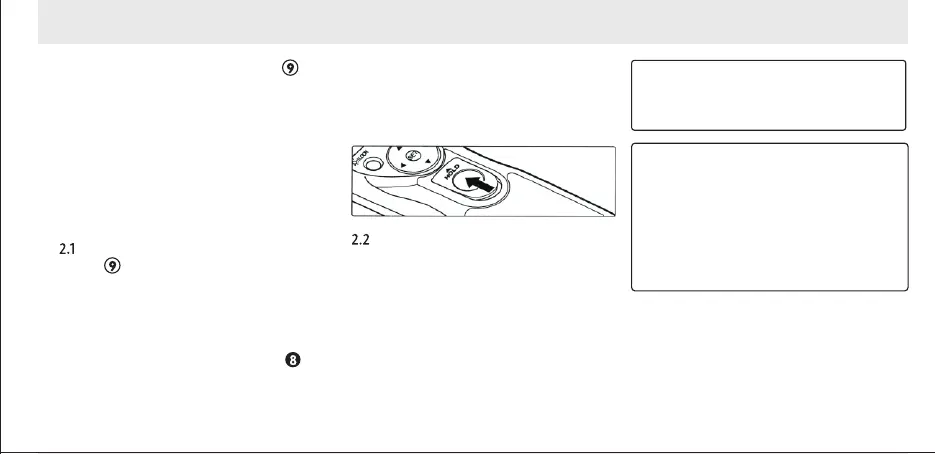
To keep the shutter-release button
fully pressed for bulb photography,
slide the button to the position.
Slide it in the opposite direction to
release the lock.
Release the button to end shooting.
The JY-710TX shutter-release button can
be used when no batteries are inserted.
The Show panel will remain off and no
beep will sound.
The shutter-release button can be used to
release the shutter manually while the
timer is active. Timer count-down (packa-
ge so display panels,focus and the relea-
se of the indicator light and beep). Contin-
use during manual release. If a manual re-
lease overlaps with an automatic release,
the shutter will remain open until both exp-
osure times have expired.
1. Adjust Camera Settings
2. Take Pictures
RELEASE
HOLD


 To Next Page