3
1. Description
1.1 Front Panel Descriptions
Notice: The front panel descriptions are only for reference; please make the object as the standard.
One kind of front panel
Name Description
REC When recording, the light is blue
Net When access to network, the light is blue
Power Power indicator, when connection, the light is blue
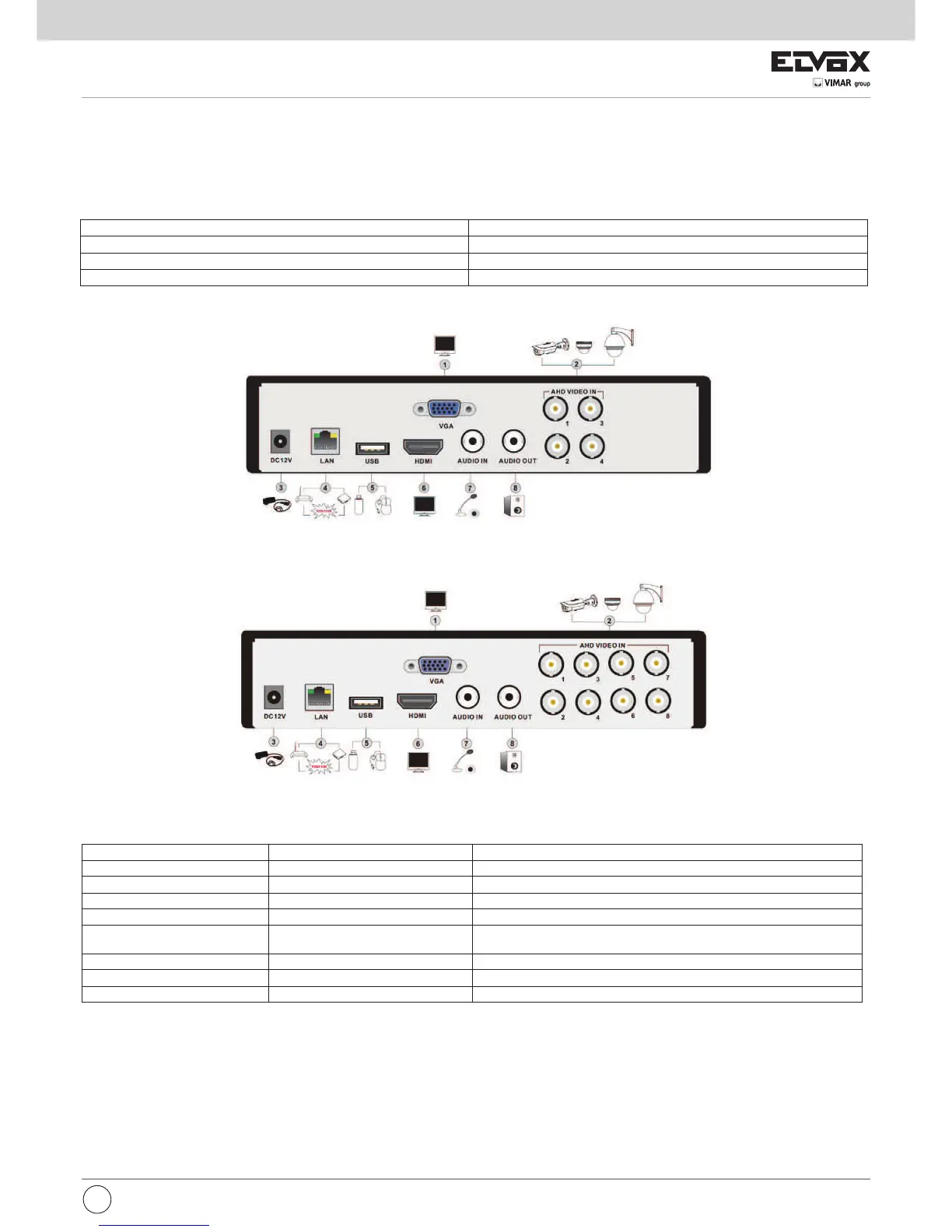
1.2 Rear Panel Instructions
Item
Name Description
1 VGA Port VGA output; connect to monitor
2
Video In video inputs
3 DC 12V Power input
4 LAN Network port
5 USB Port To connect external USB devices like USB flash, USB HDD for backup or
update firmware; or connect to USB mouse
6 HDMI Port Connect to high-definition display device
7
Audio In 1-ch audio input
8 Audio Out Audio output, connect to the sound box
Rear Panel for 4-channel
Rear Panel for 8-channel
EN


 To Next Page