10
Gasifying boilers VIGAS
„ENTER“
By ▲ buttons set the parameter you want to edit and by
pressing „ENTER“ button, the value starts to flash. ▲ buttons
set requested value.
end
Choose shotdown temperature of the boiler
„ “
Increase or decrease the value, maximal output will be
changed. Is adviced to decrease the value in transition
period (boiler tar level will drop).
Â
Brightness
Roll
Press „yes“ will acitivate the value rolling (Pic.6/2)
Help 0s
Set the time when graphical control will be indicated
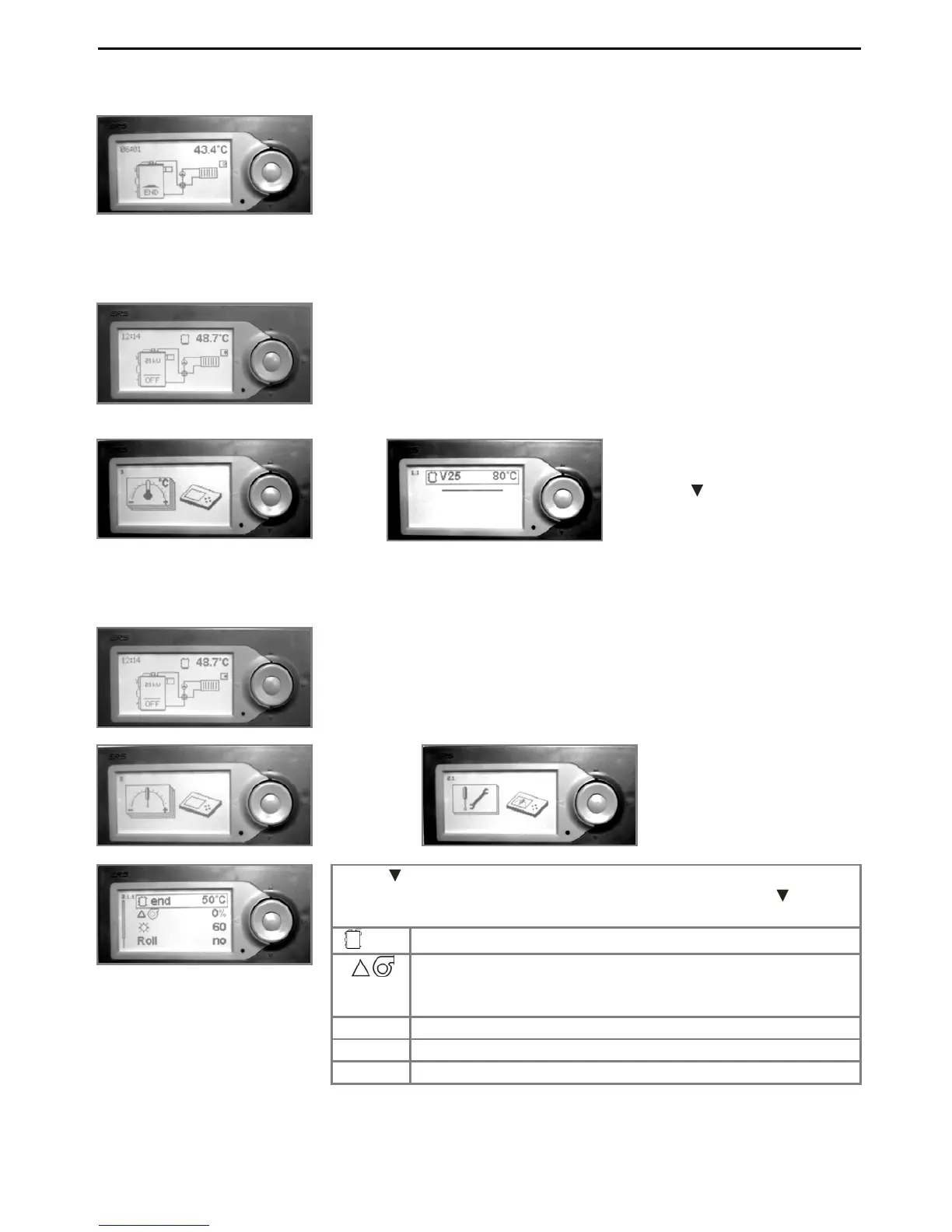
4.1.5 Disconnection the boiler (Automatically)
4.2 TEMPERATURE SETTINGS OF OUTLET WATER
4.3 PARAMETERS SETTING OF VIGAS BOILER
When temperature drops under the shotdown temperature (see
Parameter settings of Vigas boiler in basic configuration) boiler is
switch-off automatically. „END“ will be indicated on the display. By
pressing „ENTER“ boiler will start operating again.
To call temperature setting hold „ENTER“ button at any boile
status. Symbol of the temperature setting will be indicated on the
display. Press „ENTER“ again. Symbol of the nominal output will
be indicated on the display with value, together with temperature o
outlet water in °C. By pressing the „ENTER“ button, the value start
to flash.
„ENTER“
Temperature is flashing, by using
buttons ▲
choose requested
value. Button ► will exit the
temperature settings.
To call parameters setting hold „ENTER“ button at any boile
the parameters setting will be indicated on the display. By pressing
the „ENTER“ button twice, the values you can set will be indicated
on the display.
„ENTER“ „ENTER“


 To Next Page