19
Gasifying boilers VIGAS
12.1 Settings for micro SD card
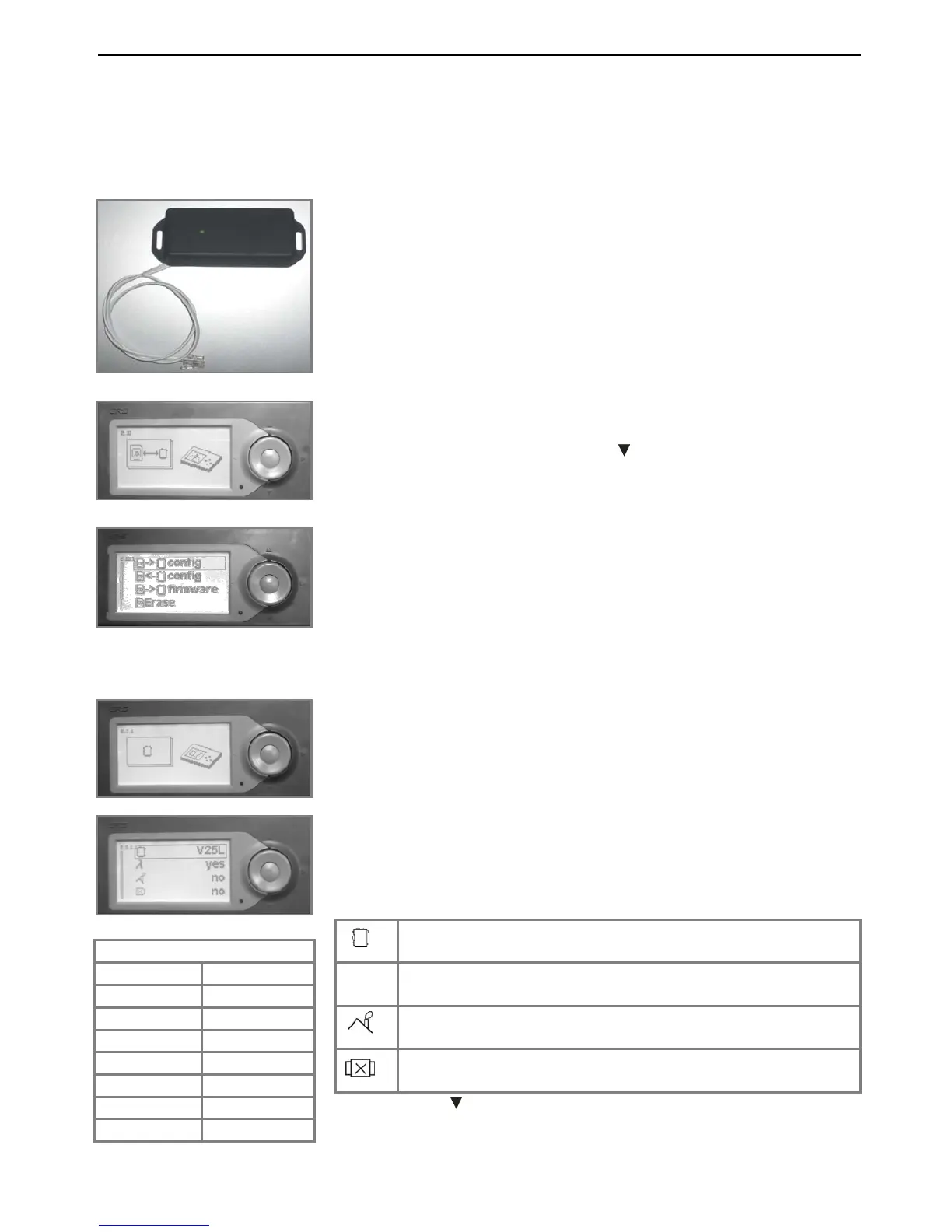
AK 3000 control can be extenended by SD modul (Pic.8). Micro SD card of different capacity is
plugged into SD module.
12.2 Service settings boiler type with accessories
WARNING
Graphical control unit AK 3000 is used to control all types of VIGAS
boilers. It is important, software settings must be same as type of
the boiler. In deactivated boiler status „OFF“ boiler type is
indicated on the display, that is equal to boiler nominal output. For
correct boiler operation, boiler type must match with boiler
type marked on boiler label.
In case of control unit exchange, always must be AK 3000
checked!!!
Continue Chapt.14
7. Press „ENTER“, display indicates :
Boiler type V- VIGAS, xx – nominal output, L – lambda
TVZ – hot-air, UD – coal – wood, DP – wood – pellets
λ
yes – boiler with lambda sensor, no – boiler without
lambda sensor
yes – boiler with gases thermometer, no – boiler
without gases thermometer
yes – boiler with discharge fan, no – boiler without
discharge fan
8. Buttons▲ choose parameter and press ENTER
9. Button ► will exit the settings
Boiler List
V 16 V 80
V 16L V 80L
V 25 V 100
V 25L V 100L
V 40 V 25TVZ
V 40L V 29UD
V 60 V 18DP
V 60L
By pressing „ENTER“ symbols that micro SD cards allows will be
indicated on the display. Buttons ▲ choose the task, you want to
realize and then press „ENTER“.
Pic.


 To Next Page