Need help?
Do you have a question about the Vine Smart Control TJ-610E and is the answer not in the manual?
Instructions for downloading the Vine Smart Control app for iOS and Android devices.
Terminal configurations for conventional HVAC systems.
Terminal configurations for heat pump HVAC systems.
Connect a spare wire to the C-terminal if a C-wire is absent.
Steps for setting up a 4-wire system when a C-wire is missing.
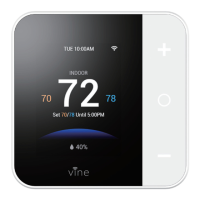
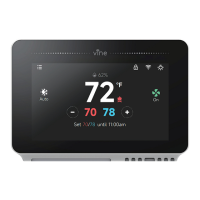
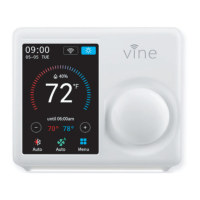
Labels and explains various elements shown on the main thermostat screen.
Guide to select the home's heating equipment type during initial setup.
Specific setup steps for furnace or boiler systems.
Specific setup steps for heat pump systems.
Steps for configuring dual fuel system settings, including furnace and heat pump.
Explains available schedule options and expansion.
Instructions for setting the thermostat's date and time.
Instructions for establishing a Wi-Fi connection for smart features.
Steps to scan for available Wi-Fi networks.
Instructions for manually entering SSID for hidden networks.
Lists common reasons for Wi-Fi connection failure.
Explains account ID appearance and registration status.
Guide to enter MAC-ID and Temporary Verification Code in the mobile app.
Explains how the device automatically reconnects to the wireless network.
Explains cooling mode operation.
Explains heating mode operation.
Explains auto mode operation.
Explains system behavior when off.
Explains emergency heat mode usage.
How to select system modes on the thermostat.
How to set the fan to run continuously.
How to enable the fan during heating or cooling.
How to set the fan to run on a programmed schedule.
How to select fan modes on the thermostat.
How to manually adjust temperature using '+' and '-' buttons.
How to set and cancel a temporary temperature hold.
Accessing weather forecasts and current conditions.
Quick setup for desired setpoints at home.
Steps to create new schedules for Home and Vacation.
Steps to edit or delete existing programmed schedules.
Setting the thermostat's date and time.
Adjusting screen brightness and timeout.
Adjusting the brightness of the night-light.
Setting display units (C/F) and safety functions.
Accessing advanced features for HVAC professionals.
Resetting the thermostat to factory settings.
Setting temperature range for heating/cooling engagement.
Setting fan run duration after mode turn off.
Setting minimum system on-time after engagement.
Setting waiting time between heating and cooling cycles.
Viewing system runtime for heating, cooling, and air filter.
Adjusting temperature readings for sensor accuracy.
Code to repeat the initial setup process.
Adjusting temperature readings for sensor accuracy.
Adjusting thermostat sensor sensitivity to temperature changes.
Accessing system alerts, filter reminders, and service messages.
Viewing model number, MAC ID, build date, and firmware version.
Labels and explains various elements on the mobile app's main screen.
Steps to add a new time period to a schedule.
Steps to modify the time, heating, or cooling values of a period.
How to swipe and delete a schedule period.
Steps to copy a schedule to other days of the week.
Setting up the device's date and time.
Configuring temperature units and alert messages.
Viewing system alerts and messages.
Instructions for linking the thermostat with Amazon Alexa.
Lists voice commands to control the thermostat with Alexa.
Steps to link the Vine account to Google Assistant.
Lists voice commands to control the thermostat with Google Home.
Details the warranty period and coverage.
Information on returning the product within 30 days for a refund.
Procedures for making a warranty claim.
Lists items and conditions not covered by the warranty.
Limitations on consequential, incidental, or special damages.
Disclaimers regarding online services and product information.
Explains specific legal rights granted by the warranty.
 General
| Accuracy | ±0.5°C |
|---|---|
| Connectivity | Wi-Fi |
| Display | LCD |
| Temperature Range | 5°C to 35°C |
| Control Output | Relay |
| Compatibility | Android, iOS |

 To Next Page