Need help?
Do you have a question about the Vine TJ-225 and is the answer not in the manual?
Lists items provided with the thermostat.
Lists additional tools required for installation.
Details compatible heating and cooling systems and requirements.
Instructions on how to safely turn off power to the HVAC system.
How to confirm the HVAC system power is off before proceeding.
Guide on safely removing the existing thermostat from the wall plate.
Instructions to take a picture of the existing wiring for reference.
How to use provided labels to mark each wire accurately.
Steps to disconnect wires and remove the old thermostat's wall plate.
Instructions for installing the new wall plate using provided hardware.
Instructions on inserting wires into the new wall plate terminals.
How to physically attach the thermostat unit to the mounted wall plate.
Instructions for powering on the thermostat and initiating setup.
Explains indicators on old wall plates that mean the thermostat is not compatible.
Provides three methods to download the Vine Smart Control app.
Guide on creating an account for the Vine Smart Control app.
Table detailing terminal connections for Conventional and Heat Pump systems.
Illustrates wiring for furnace/boiler systems with C wire.
Illustrates wiring for heat pump systems with C wire.
Illustrates wiring for dual fuel systems with C wire.
Steps for connecting the thermostat when a spare wire is available.
Wiring for conventional systems without a C-wire, using a jumper.
Wiring diagram for a heat-only 3-wire system.
Wiring diagram for a cool-only 3-wire system.
Guide on choosing the correct heating type for the home.
Specific setup steps for heat pump systems.
Specific setup steps for furnace or boiler systems.
Options for setting a Home, Vacation, or No Schedule.
Instructions to configure the thermostat's date and time.
Steps to add the thermostat to the Vine app.
Guide to connect the thermostat to the home Wi-Fi network via phone.
Steps to name the thermostat and add it to the user account.
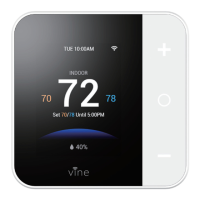
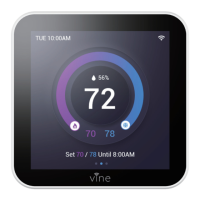
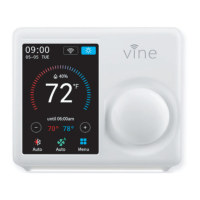
Labels and explains all elements shown on the thermostat's main screen.
Explains the different HVAC system modes (Cool, Heat, Auto, EM. Heat, Off).
How to select system modes directly on the thermostat.
Explains fan settings: On, Auto, Circulation.
How to temporarily change the set temperature.
How to choose existing schedules or create new ones.
Steps to connect or reconnect the thermostat to a Wi-Fi network.
Details the function of advanced settings like Deadband, Fan Delay, etc.
Labels and explains elements on the smart control app's main screen.
How to manage schedules in the app.
Steps to set or edit specific time periods within a schedule.
How to copy a schedule from one day to another.
How to adjust nightlight and screen brightness via the app.
Steps to integrate the thermostat with Amazon Alexa voice control.
Lists common voice commands for controlling the thermostat with Alexa.
Steps to link the thermostat with Google Assistant for voice control.
Lists common voice commands for controlling the thermostat with Google Home.
Details what the limited warranty covers and for how long.
Explains how to claim warranty service and what is not covered.
Outlines limitations on damages, liability, and user rights under the warranty.
 General
| Compatibility | Single-stage heating and cooling systems |
|---|---|
| Hold Function | Yes |
| Filter Change Alert | Yes |
| Power Source | 24 VAC |
| Display | LCD |
| Programmable | 7-day programmable |

 To Next Page