Need help?
Do you have a question about the Vine TJ-560 and is the answer not in the manual?
Link to detailed electronic user manual.
Access the visual guide for thermostat installation.
Instructions for downloading the Vine Thermostat or Smart Life app.
Guide to setting up your home profile in the app.
Steps to add the TJ-560 thermostat to your app.
Details on HVAC systems and voltages incompatible with the thermostat.
Essential safety step to turn off power before installation.
Verify that the HVAC system is completely off.
Instructions for safely removing the existing thermostat.
Advised to take a photo of existing wiring for reference.
Use provided labels to mark wires from the old thermostat.
Disconnect wires and remove the old thermostat's mounting plate.
Guide to attaching the new wall plate, with optional trim plate.
Wiring terminal guide for standard HVAC systems.
Wiring terminal guide for dual fuel and staged systems.
Connect the system wires to the new thermostat's terminals.
Attach the thermostat unit to the mounted wall plate.
Restore power and begin the thermostat setup process.
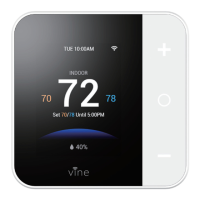
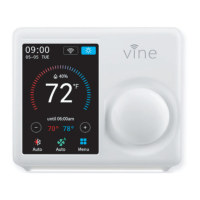
Identifies and explains key information on the thermostat's main screen.
Choose your HVAC system type, starting with furnace or boiler.
Configure settings for an electric heating/cooling system.
Configure settings for a heat pump system.
Configure settings for a dual fuel HVAC system.
Configure settings for systems without heating.
Details the components and information displayed on the app's main screen.
Guide to linking your thermostat with Amazon Alexa for voice commands.
Details the period and scope of the product's limited warranty.
Information on returning the product for a refund within 30 days.
Procedure for initiating a warranty claim or service request.
Lists products and conditions excluded from the limited warranty.
Legal disclaimer regarding implied warranties and conditions.
Limits on liability for consequential or incidental damages.
Defines the maximum liability of the manufacturer.
Explains consumer rights and how local laws may apply.
 General
| Brand | Vine |
|---|---|
| Model | TJ-560 |
| Category | Thermostat |
| Language | English |

 To Next Page