EasyManua.ls Logo

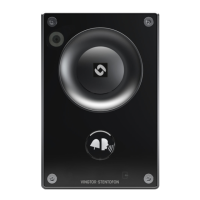
Vingtor Stentofon TCIV-3 - User Manual

Default Icon
56 pages
Print Icon
To Next Page IconTo Next Page
Loading...
Configuration Manual
Turbine Compact IP Video Stations
TCIV-2
TCIV-3
TCIV-6
A100K11559
TECHNICAL MANUAL

Table of Contents

Other manuals for Vingtor Stentofon TCIV-3

Question and Answer IconNeed help?

Do you have a question about the Vingtor Stentofon TCIV-3 and is the answer not in the manual?

Summary

Turbine Compact IP Video Stations Overview

TCIV-2 and TCIV-3 Station Keys and Functions

Details the keys and functions of TCIV-2 and TCIV-3 station models.

TCIV-6 Station Keys and Functions

Details the keys and functions of the TCIV-6 station model.

Station Connectivity Options

Connection, Power, and I;O Details

Details external connectors, power supply, network, and I/O connections.

Starting Up the Video Station

Turbine Video Settings Configuration

Video Parameter Settings

Configures video modes, resolution, frame rate, camera IP, and advanced settings.

AlphaCom Configuration

5.1 Logging into the Station

Steps to log into the station's web interface for configuration.

AlphaCom Core Station Settings

AlphaCom Configuration for ITSV-1 Video Phone

5.3.1 Video Settings for ITSV-1

Configuring video parameters for the ITSV-1 Video Phone.

ITSV-1 Phone Configuration in AlphaCom

5.3.2 ITSV-1 Phone Settings

Accessing and logging into the ITSV-1 phone interface.

5.3.3 ITSV-1 Account Setup

Configuring the ITSV-1 phone's account settings for AlphaCom.

ITSV-1 Audio and Video Configuration

5.3.5 ITSV-1 Video Configuration

Setting up video streaming and call features for ITSV-1.

AlphaCom Configuration for VS Desktop Video Display

5.4.1 Video Settings for Desktop Station

Configuring video parameters for the VS Desktop Video Display Station.

5.4.2 VS Desktop Station Video Configuration

Steps to log into and configure the video part of the desktop station.

Desktop Station Camera Settings and Allocation

Configures camera types, URLs, and allocation for the desktop station.

SIP Configuration

6.1 Logging into the Station

Steps to log into the station's web interface for SIP configuration.

Station Main Settings for SIP

SIP Station Mode Configuration

Selecting the operating mode to use SIP.

SIP IP Address Configuration

Configuring static IP address, subnet mask, and gateway for SIP.

SIP Configuration for ITSV-1 Video Phone

ITSV-1 Video Settings in SIP Mode

ITSV-1 SIP Account and Video Configuration

SIP Configuration for Cisco Video Phone

Cisco Video Phone SIP Video Settings

Cisco Video Phone Direct Access Key Settings

SIP Configuration for Bria Softphone

Bria Softphone Account Settings

SIP Configuration for VS Desktop Video Display

VS Desktop Video Display SIP Video Settings

VS Desktop Video Display Station Settings

Desktop Station Camera Settings and Allocation

Pulse Configuration

Station Main Settings for Pulse

Pulse Configuration for ITSV-1 Video Phone

ITSV-1 Pulse Configuration Details

ITSV-1 Phone Settings in Pulse

ITSV-1 Video and Registration Verification in Pulse

Pulse Configuration for Bria Softphone

Bria Softphone Pulse Configuration Details

Bria Softphone Configuration in Pulse

Pulse Configuration for Snom Video Phone

Snom Video Phone Pulse Video Settings

Snom Video Phone Pulse Configuration

Snom Phone Settings in Pulse

Pulse Configuration for VS Desktop Video Display Station

Factory Default Reset Procedures

Vingtor Stentofon TCIV-3 Specifications

General IconGeneral
ModelTCIV-3
Ingress ProtectionIP66
ManufacturerVingtor Stentofon
Audio CodecsG.711, G.722
ProtocolsSIP
Ethernet10/100 Mbps
Power SupplyPoE
Contact Rating1A
MaterialAluminum

Related product manuals