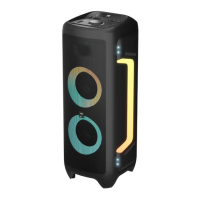
Control panel (g.1)
1. MIC VOLUME
• Adjust the MIC volume value of the speaker
2. ECHO VOLUME
• Adjust the echo volume value of the speaker
3. MODE/ Voice prompt on/o
• Short press: Select Bluetooth, LINE IN, Radio or USB mode
• Long press: Voice prompt on/o
4. PLAY/PLAUSE/TWS
• Short press: Play/plause mode (FM station search with
automatic storage)
• Long press: TWS connection in bluetooth mode
5. NEXT/NITRO BASS
• Short press: Skip to the next track (Next FM channel in FM
mode)
• Long press: Nitro Bass
6. BASS VOLUME
• Adjust the bass volume value of the speaker
7. VOLUME
• Adjust the volume value of the speaker
8. GUITAR VOLUME
• Adjust the guitar volume value of the speaker
9. POWER ON/OFF
• Short press: Standby mode
• Long press: Power on/o the device
10. LIGHT
• Short press: Select light color change (6 colors and Auto
color)
• Long press: Select lighting mode (3 modes: Flashing, Racing
and Breathing)
11. PREVIOUS/STROBE ON/OFF
• Short press: Skip to the previous track (Previous FM channel
in FM mode)
• Long press: Strobe ashing LED on/o and front LED on/o
12. TREBLE VOLUME
• Adjust the treble volume value of the speaker


 To Next Page