Press Ent to confirm the setting.
Press Exit to exit the setting.
Note: After Select “on” option:
Press Ent to switch to the “Up” or “Low” Range.
Press Up/Down Arrow to change the value.
Press Ent to confirm the setting.
Press Exit to exit the setting.
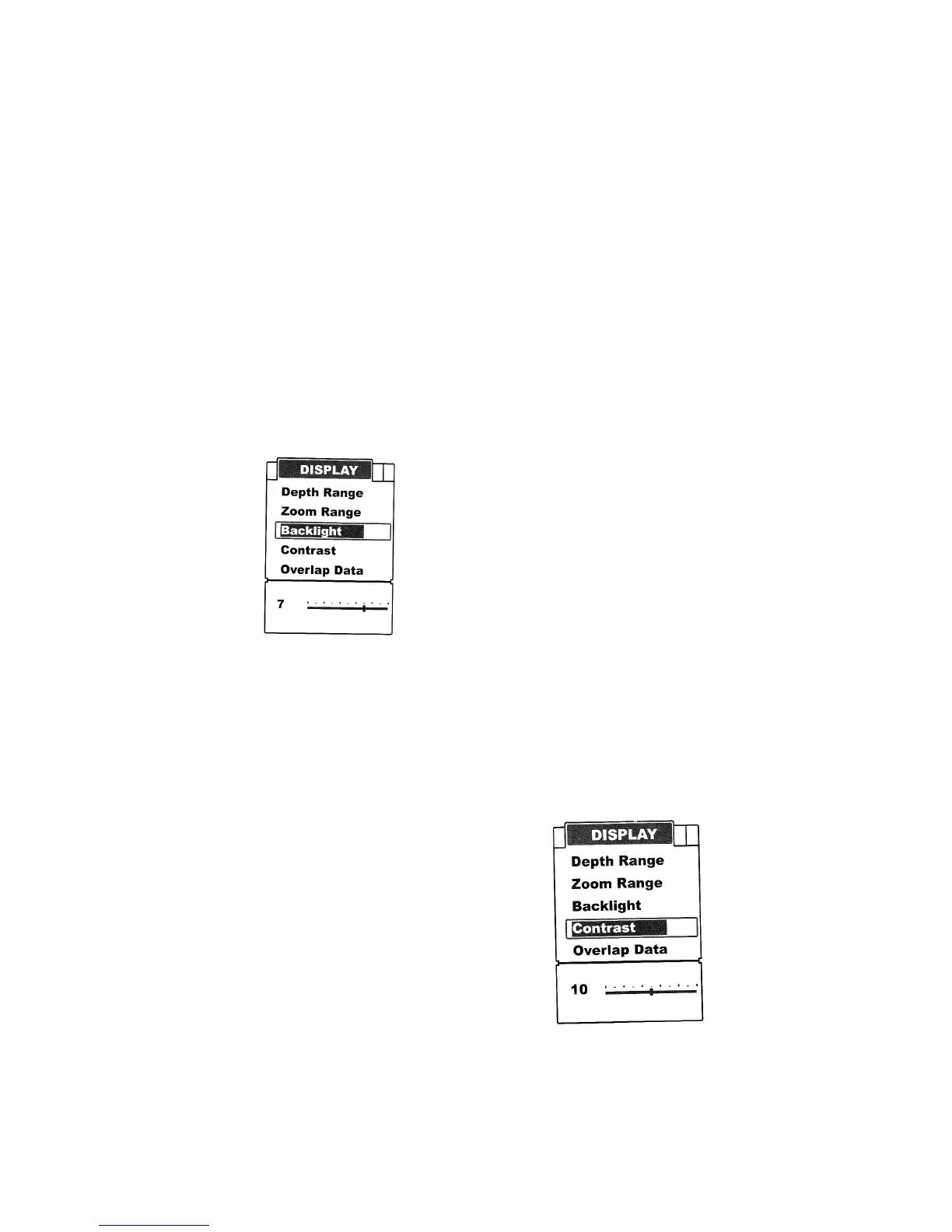
Backlight
Backlight allow the unit to be used at night.
There are 10 levels for you to adjust the brightness of backlight.
To set the Backlight:
Press Menu to enter into menu setting.
Repeatedly press Menu to switch to Display menu.
Use the Up/Down Arrow to select Backlight option.
Press Ent to enter into setting.
Use the Up/Down Arrow to change the value.
Press Ent to confirm and exit the setting.
Contrast
Contrast will enable you to get a suitable display.
To set the Contast:
Press Menu to enter into menu setting.
Repeatedly press Menu to switch to Display menu
Use the Up/Down Arrow to select Contrast option.
Press Ent to enter into setting.
Use the Up/Down Arrow to change the value
Press Ent to confirm and exit the setting.


 To Next Page