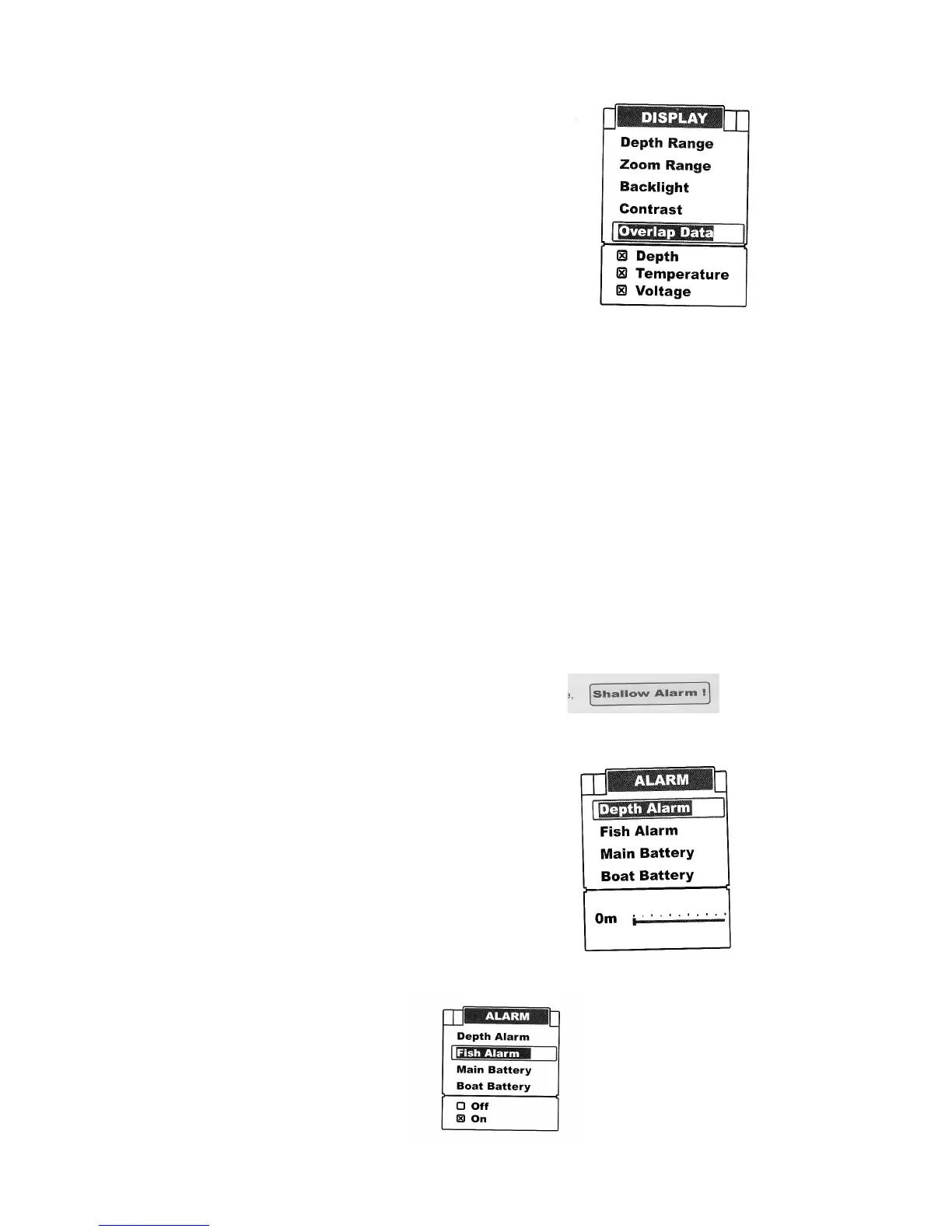
Overlap Data
On the upper left corner display, there are three readouts:
Water depth, temperature, voltage.
Overlap data determines which readout will be displayed.
To set Overlap Data:
Press Menu to enter into menu setting.
Repeatedly preess Menu to switch to Display menu
Use the Up/Down Arrow to select Overlap Data option.
Press Ent to enter into setting.
Use the Up/Down Arrow to select the option.
Press Ent to confirm the option being displayed or notification
Press Exit to exit the setting.
Alarm
Depth Alarm
The FC500 fish finder sounds an alarm tone when the bottom goes shallower or equal to the alarm's
setting.
Note: Once triggered, an alarm message will appear on the screeen. You can press Menu key to
exit the depth alarm mode. However the alarm will trigger again until your boat moves to an area
where the water depth is beyond the depth alarm range.
You can also choose exiting alarm mode by entering into Depth Alarm menu and artifically increase
the current depth alarm value to a safe grade.
To set Depth Alarm:
Press Menu to enter into menu settting.
Repeatedly press Menu to switch to Alarm menu.
Use the Up/Down Arrow to select Depth Alarm option.
Press Ent to enter into setting.
Use the Up/Down Arrow to change the value.
Press Ent to cxonfirm and exit the setting.
Fish Alarm
The FC500 Fish finder will sound an alarm tone when it detects what it determines to be a fish.


 To Next Page