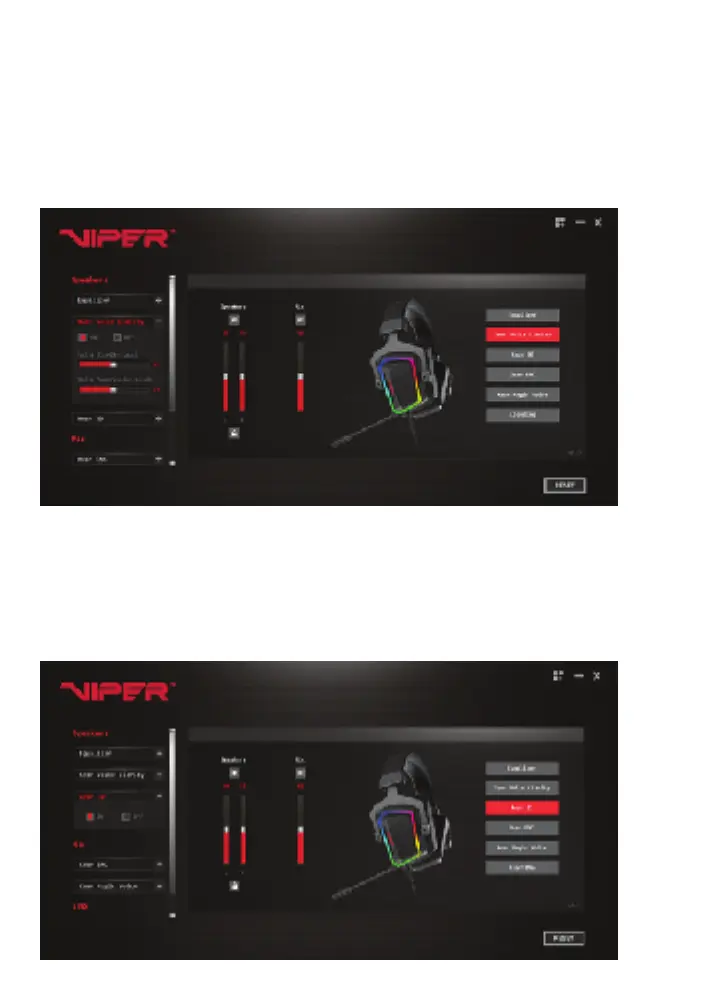
Xear Voice Clarity
Xear Voice Clarity Improves the clarity of received voices.
Expand the Xear Voice Clarity settings on the left of the screen to turn ON/OFF the Xear
Voice Clarity feature. You can also turn the function ON/OFF by clicking the Xear Voice
Clarity button on the right.
Move the slider to the desired levels to adjust the volume and to reduce the level of
background noise.
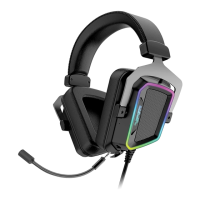
Xear 3D
Xear 3D sound enables the virtual 7.1 surround sound environment.
Expand the Xear 3D settings on the left of the screen to turn ON/OFF the Xear 3D feature.
You can also turn the function ON/OFF by clicking the Xear 3D button on the right.


 To Next Page