LIGHTING EFFECTS
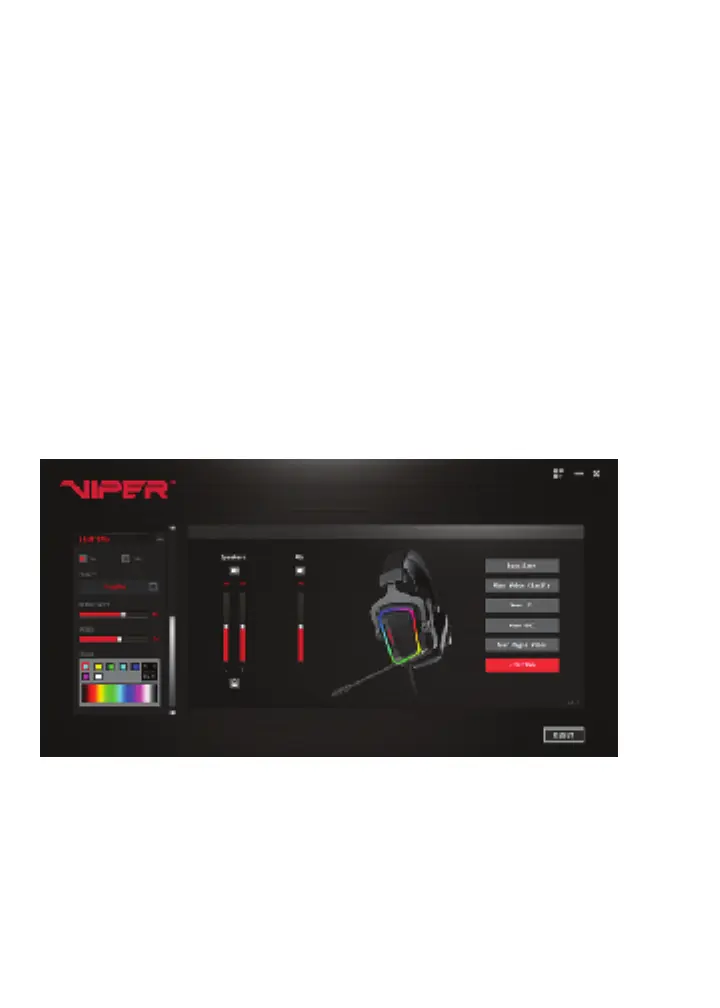
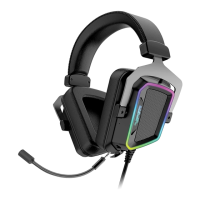
You may customize the V380 lighting with up to 16.8 million colors to choose from, in the
lighting settings.
Expand the LIGHTING settings on the left of the screen to turn ON/OFF LIGHTING feature.
You can also turn the function ON/OFF by clicking the LIGHTING button on the right.
You have the option to select one of five preset lighting patterns
Constant – for static display of any color you select
Breathe – for an illumination, then fade to black effect of any color you select
Streamer - for a colorful display with a dynamic revolving pattern. (preset colors only)
Neon - for a dynamic cycle of lights covering the entire color spectrum. (preset colors only)
Rhythm – for a reactive display of any color you select. Reacts to gameplay sound effects or
music.
Adjust the brightness of LED or speed of pattern by adjusting the sliders below the effects.
Choose from 16.8 million colors to customize your headset by selecting from the color pallet
of entering the RGB values in the value box.
UI Settings
You have the option to customize the User Interface by clicking on the Setting Icon in the
upper right corner.
You may select from the following option for the APP
• Auto start the app
• Language options
• Font size and color
• Brightness level
C-Media, C-Media logo and Xear 3D are trademarks of C-Media Electronics Inc.


 To Previous Page