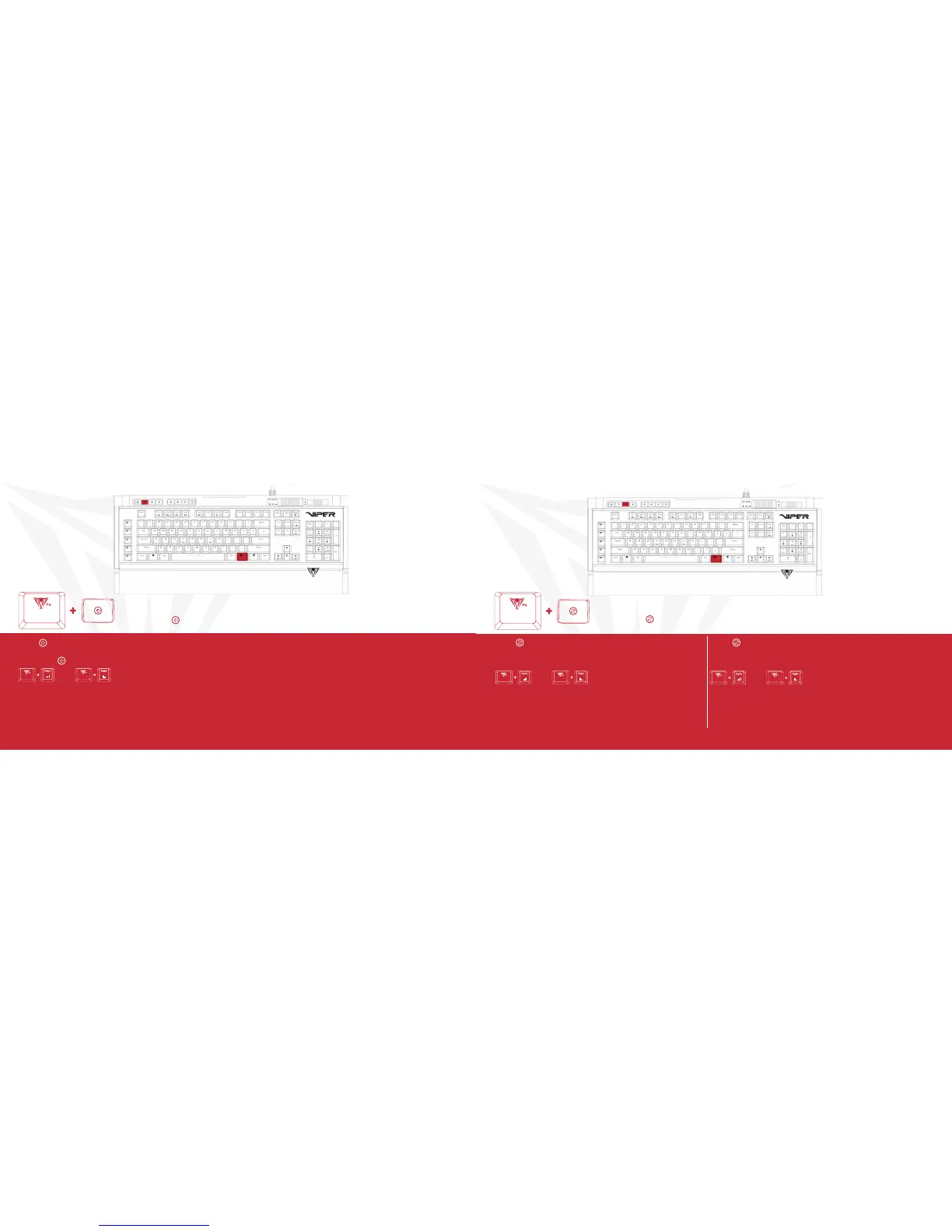
RIPPLE MODE
Press FN+ -Continuously to alternate between modes
FN+ -RIPPLE MODE
When pressing any key, the light pattern will be spread in all directions; displaying a “ripple” effect.
Pressing FN+ repeatedly will scroll through the different LED colors.
FN+PgUp
Increases Speed of Ripple Mode
FN+PgDn
Decreases Speed of Ripple Mode
SIDEWINDER/VORTEX MODES
Press FN+ -Continuously to alternate between modes
FN+PgUp
Increases Speed of Sidewinder Mode
FN+PgDn
Decreases Speed of Sidewinder Mode
FN+ -SIDEWINDER MODE
The light pattern will wind its way from the top left of the keyboard to the
bottom.
FN+ X2-VORTEX MODE
The light pattern will wind its way from the top left of the keyboard to the center
and then back again.
FN+PgUp
Increases Speed of Sidewinder Mode
FN+PgDn
Decreases Speed of Sidewinder Mode


 To Next Page