LIGHTING EFFECTS
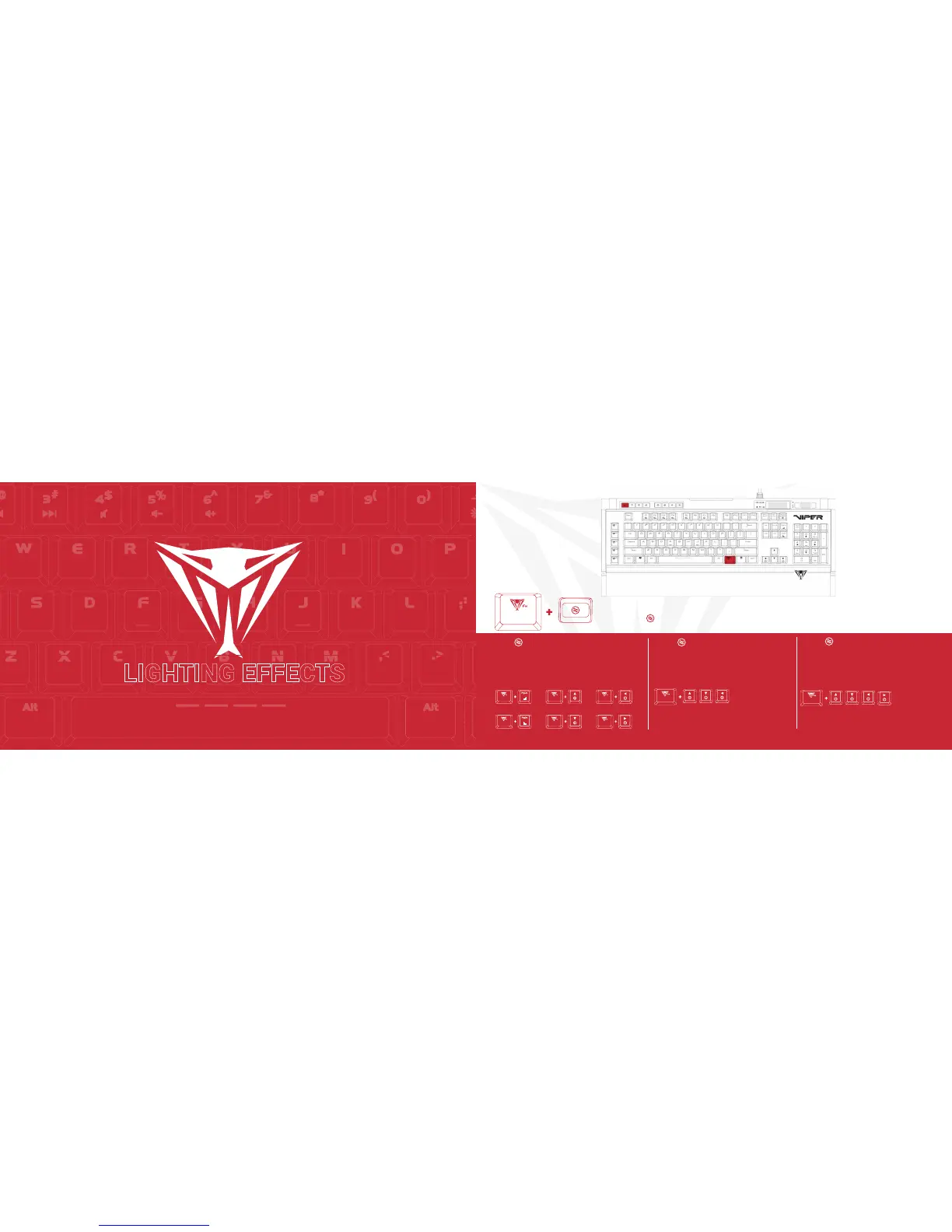
WAVE/SPOTLIGHT/RADAR MODES
Press FN+ -Continuously to alternate between modes
FN+ -WAVE MODE
A wave of light will travel across the keyboard.
To change the direction of the wave pattern, press
FN + arrow key. The wave will travel from right to
left, left to right, top to bottom, or bottom to top
based on the arrow key you select.
FN+ X2-SPOTLIGHT MODE
Two patterns of light will travel across the key-
board intersecting in the middle. The LED will
change color constantly.
FN+ X3-RADAR MODE
A pattern of light will revolve around the center of
the keyboard. To change the direction of the ra-
dar pattern, press FN + arrow key.
FN+ Any Arrow Key
Alternates the direction of the radar
clockwise or counter clockwise
FN+PgUp
Increases Speed of Wave Mode
FN+UpArrow
Increases Speed of Wave Mode
FN+UpArrow
Increases Speed of Wave Mode
FN+PgDn
Decreases Speed of Wave Mode
FN+DownArrow
Decreases Speed of Wave Mode
FN+DownArrow
Decreases Speed of Wave Mode
FN+ Any Arrow Key
Alternates the direction of the radar
clockwise or counter clockwise


 To Next Page