INS TRUCTIONS MA NUAL
M EASUREMENT SETTING
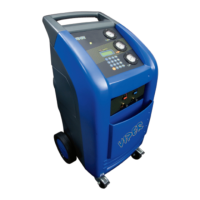
When power is turned on to your new VIPER VR-6000, the keypad display will show the gas
weight in the service tank. The display can be set to read in either metric or standard
measurements , proceed as follows:
• Switch offthe VR-6000.
• Press the SEL, GO, and ENTER keys simultaneously while turning on the VR-6000.
The machine will change from one system ofunits ofmeasurementto the other.
VIPER VR-6000 SPECIFICATIO NS
Ele ctrical Input: 115 Vac , 8 A , 60 Hz
AmbientOperating Temperature Range: 50° F (10° C) to 120° F (48.9° C)
Approximate Shipping Weights: 170 lbs.
PREPARATION FOR USE
GENERAL
Your VIPER VR-6000 Air Conditioning Service Center is shipped completely assembled and
100% pre-tested. Your VIPER VR-6000 needs to be prepared before it can be used to
s ervice a vehicle's air conditioning s ystem .
PREPARATION
The following steps,for the most part, are used onlyto prepare your VR-6000 foroperati on.
1. Remove the shipping carton.
2. Lift outthe VR-6000 from the palletto the ground.
3. Loosen the scale hand screw (see Fi gure 9) that is under the scale platform. It is
tightened to preventdamage to the s cale during shipment. Turn counter clockwise six
full tur ns. Note: I fyou do notloosen the scale hand screw under the scale platform, the
scale will remain inoperable.
13


 To Next Page