7
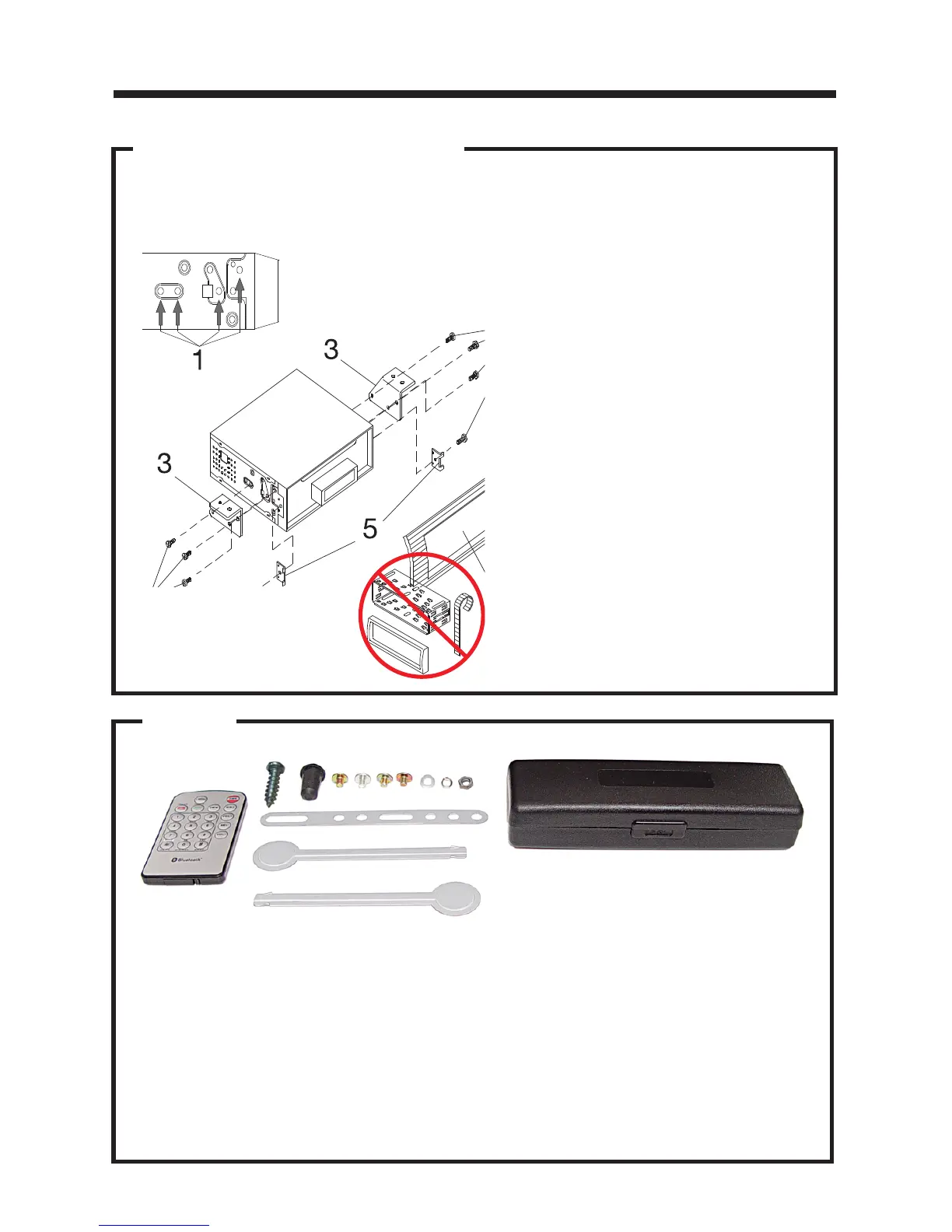
DIN REAR-MOUNT (METHOD B)
Installation using the screw holes on both sides of the unit.
1. Screw holes on the side of the unit.
2. Screws. Use either truss screws (5 x
8mm) or flush surface screws (4 x 8mm),
depending on the shape of the screw
holes in the bracket.
3. Vehicle’s Factory Mounting Bracket
4. Dashboard or Console
5. Hook (Remove this part)
Note: The mounting sleeve, outer trim
ring, and the mounting strap are not
used for this method of installation.
Installation
PARTS
2 Metal Keys
1 Hex Nut
1 Mounting Sleeve (not shown)
1 Lock Washer
4 Screws
1 Sheet Metal Screw
1 Metal Support Strap
1 Flat Washer
1 Rubber Mounting Bolt Cover
1 Faceplate Case
1 Remote Control
2 Wiring Harness (not shown)


 To Next Page