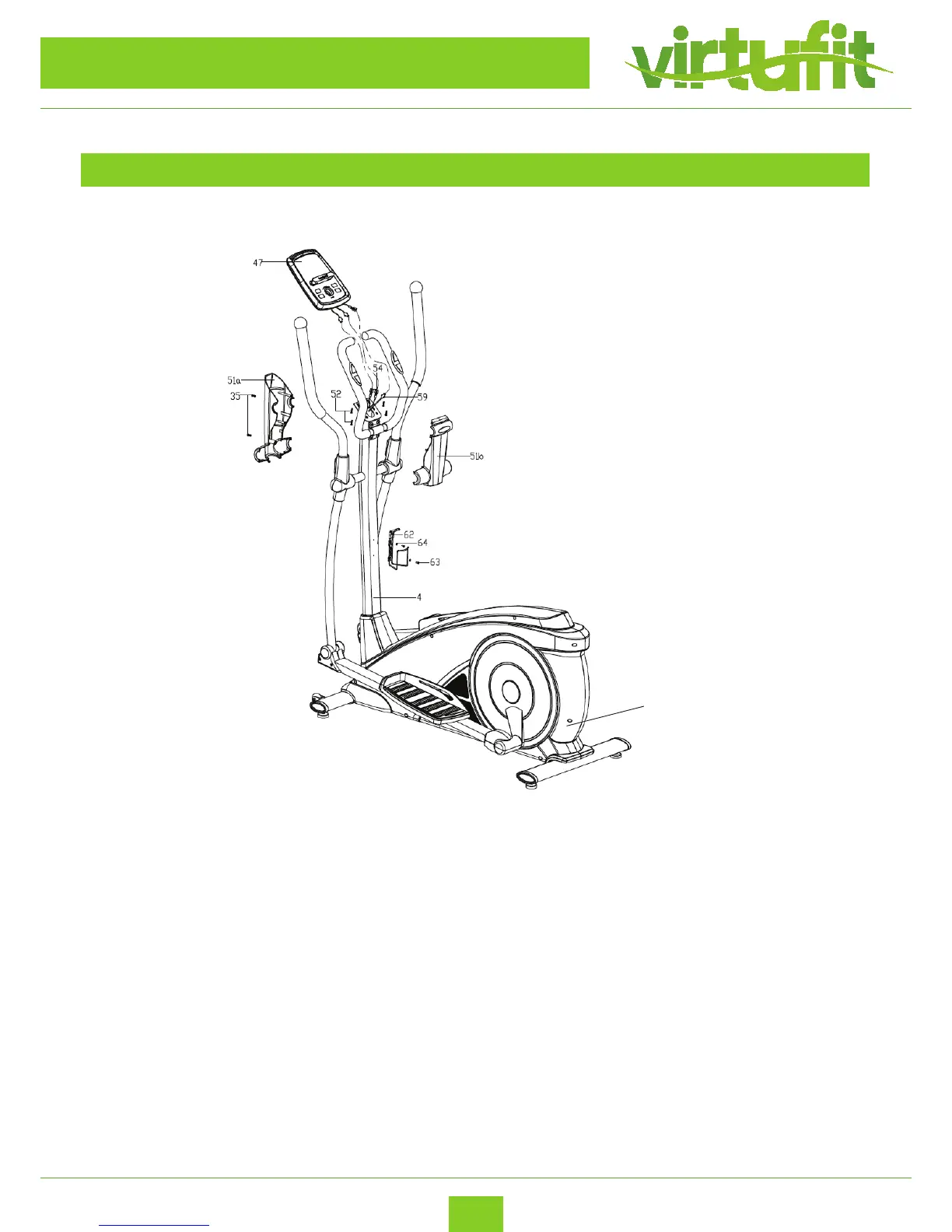
– First, connect the Extension sensor wire (59) and pulse wires (54) with the proper connecting
wires coming out from the Computer (47) respectively, then x the Computer (47) on the bracket
of the Handlebar post (4);
– Lock the Protective guard (51a/b) on the Handlebar post (4) tightly with the Screws (35).
– C: Lock the Kettle holder (62) on the Handlebar post (4) tightly with screw(63) and Flat washer
(64).
– You can plug in the adapter now. The power adapter can be plugged in at the rear of the
machine as indicated by the arrow in the picture above.
STEP 6
ASSEMBLY INSTRUCTIONS
Adapter


 To Next Page