57
If you wish to abort the Memory saving operation, press [EXIT] from the previous video
page.
If you wish to restore the original contents of one or all the memories, locate the cursor on
the
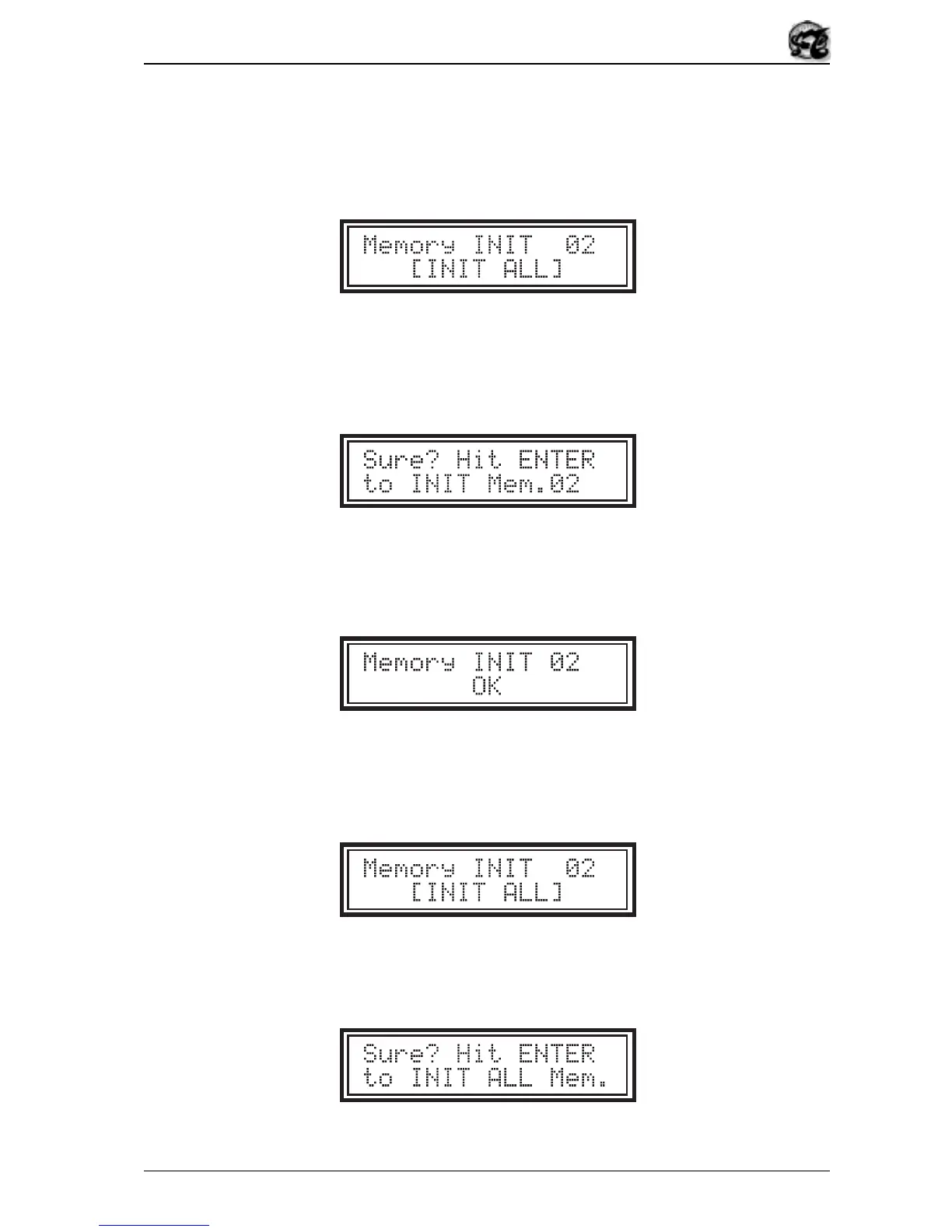
[Memory INIT]
field and press the [ENTER] button. The display will change to:
The
Memory INIT
field displays the memory location on which the Factory Settings
operation will be carried out if the [ENTER] button is pressed. You can use the [-/NO] and
[+/YES] switches to scroll through all 50 Memories. After [ENTER] is pressed the display
will show:
by which the OB5 asks you to confirm the initialisation procedure. Press the [EXIT] button
to abort the procedure, or [ENTER] to carry out the Factory Settings operation on the
Memory in question, in which case the display will show:
to confirm that the operation has taken place.
If you wish to carry out a Factory Settings procedure on all the memories, in the
video page select the
[INIT ALL]
field and press the [ENTER] button. The display will
request confirmation to proceed with total initialisation of the Memories:


 To Next Page