CONTENTS
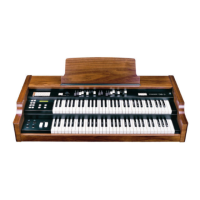
OB5
1. Important Notes.......................................................................................................45
1.1 Notes on the OB5....................................................................................................45
1.2 Notes about manual ................................................................................................46
2. Controls and connectors........................................................................................47
2.1 The top panel ..........................................................................................................47
2.2 The panel on the left of the manual.........................................................................48
2.3 The rear panel.........................................................................................................50
3. Connecting and switching on the OB5 .................................................................51
3.1 Connection example................................................................................................51
3.2 Switch on the OB5...................................................................................................52
3.3 The instrument is ready to play ...............................................................................52
3.4 Switching off ............................................................................................................53
4. Functions relating to the sound.............................................................................54
4.1 What Presets and Memories are.............................................................................54
4.2 How to select a Preset ............................................................................................54
4.3 How to select a Memory ..........................................................................................55
4.4 Presets memorisation - Factory Settings ................................................................55
4.5 Memory memorisation - Factory Settings................................................................56
4.6 Creating the sound with the Drawbars ....................................................................58
4.7 Adding character to the sound ................................................................................59
4.8 Adding percussion...................................................................................................59
4.9 Setting operation of the bass ..................................................................................61
4.10 Adding Click and background noise......................................................................62
5. The effect section ...................................................................................................64
5.1 Vibrato & Chorus .....................................................................................................64
5.2 Reverb.....................................................................................................................65
5.3 Rotary......................................................................................................................66
5.4 Overdrive.................................................................................................................67
6. Using a remote rotary tone cabinet .......................................................................68
43


 To Next Page