75
Let us take a detailed look at how a function is assigned.
Select the
[PEDAL ASSIGN]
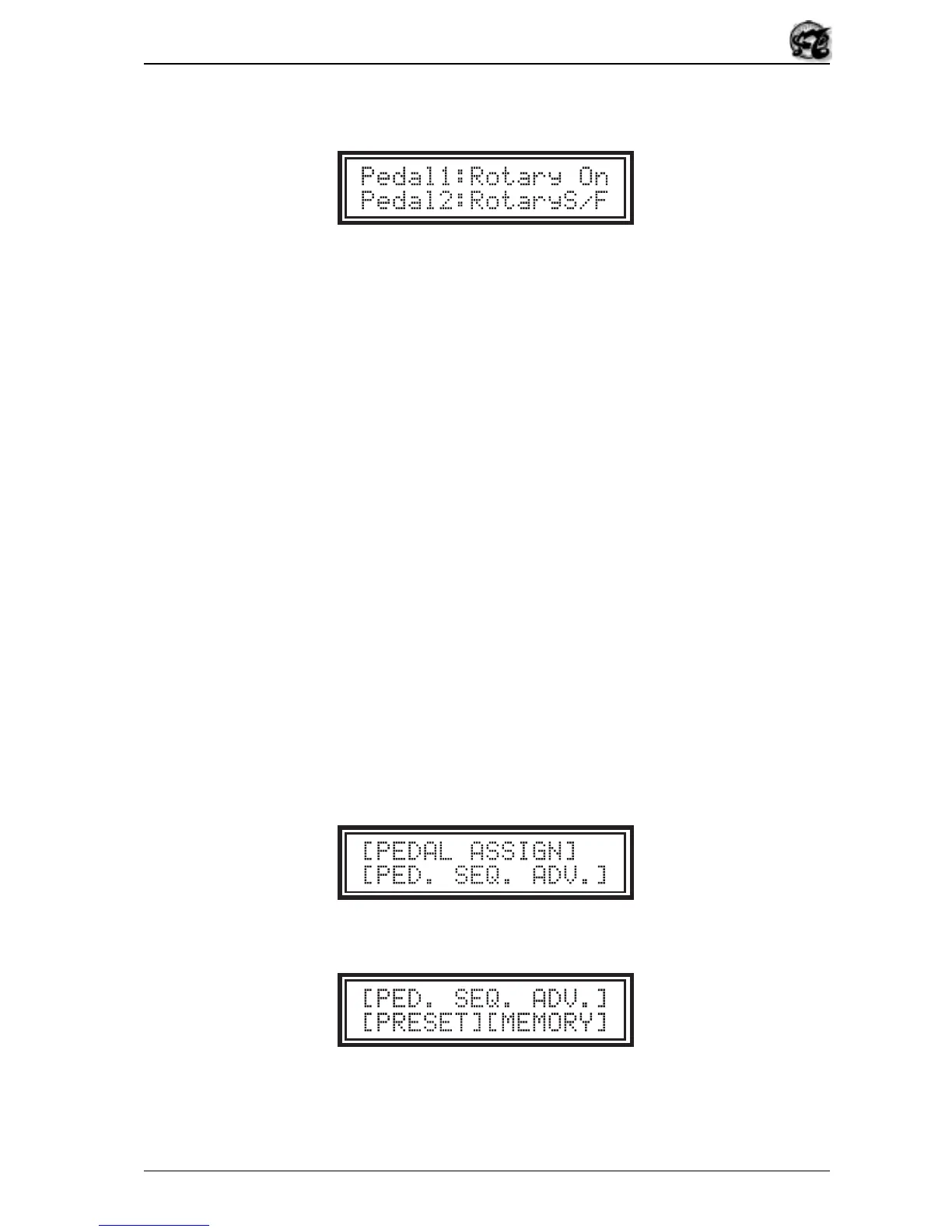
field and press [UTILITY]; the display will show:
The video page contains two fields,
Pedal1
and
Pedal2
, representing the footswitch
pedals connected to the [FOOTSW.1] and [FOOTSW.2] pedal jacks respectively.
The functions which can be assigned are the following:
•
Rotary On
: Activation of the Rotary effect (internal or remote) and switch-on
of the motor of a rotary tone cabinet, if connected.
•
RotaryS/F
(Rotary Speed Slow/Fast): Regulation of the speed of the Rotary
effect or of the motor of a rotary tone cabinet, if connected.
•
Upper Adv
(Upper Presets Advance): Advance by one of the Presets of the
Upper manual in the order set by means of the Footswitch/Pedal Sequence
Advance/Presets Utility.
•
Lower Adv
(Lower Presets Advance): Advance by one of the Presets of the
Lower manual in the order set by means of the Footswitch/Pedal Sequence
Advance/Presets Utility.
•
Memory Adv
(Memory Advance): Advance by one of the Memories in the order
set by means of the Footswitch/Pedal Sequence Advance/Presets Utility.
•
Next Mam.
: using this parameter the pedal will recall the memory booked by
way of the
Mem
field of the display.
Now we will look at how to set a given sequence of Presets or Memories to be assigned to
the footswitch pedals. From the following video page:
Select the
[PED. SEQ. ADV.]
field; the display will show:
where you can choose whether to set a sequence of Presets or of Memories.
Now let us see how a sequence of Presets is built up. When the
[PRESET]
field is
selected the display will change to:


 To Next Page