EasyManua.ls Logo

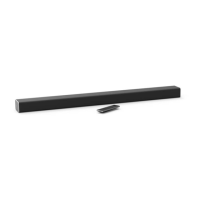
VISIO SB3651-E6 - User Manual

VISIO SB3651-E6
44 pages
Print Icon
To Next Page IconTo Next Page
Loading...
QUICK START GUIDE
Model: SB3651-E6
36ąSound Bar 5.1 S\stem
Please read this guide before using the product.
Download the Free
VIZIO SmartCast
App
to get started
Question and Answer IconNeed help?

Do you have a question about the VISIO SB3651-E6 and is the answer not in the manual?

Summary

Important Safety Instructions

Controls & Connections

Using the Remote

First-Time Setup

Connection Options

Guide to selecting audio connection cables for initial setup.

LED Indicators

Using Your Tablet or Smartphone as a Remote

Pairing Your Smartphone or Tablet

How to Cast Audio

Creating an Audio Group

Bluetooth Audio Pairing

Using Bluetooth Mode

Advanced Setup

Connecting with HDMI

Advanced Setup - HDMI

Using Button Combinations

Programming the Sound Bar

Wall-Mounting the Sound Bar

Help & Troubleshooting

Summary

Important Safety Instructions

Controls & Connections

Using the Remote

First-Time Setup

Connection Options

Guide to selecting audio connection cables for initial setup.

LED Indicators

Using Your Tablet or Smartphone as a Remote

Pairing Your Smartphone or Tablet

How to Cast Audio

Creating an Audio Group

Bluetooth Audio Pairing

Using Bluetooth Mode

Advanced Setup

Connecting with HDMI

Advanced Setup - HDMI

Using Button Combinations

Programming the Sound Bar

Wall-Mounting the Sound Bar

Help & Troubleshooting

VISIO SB3651-E6 Specifications

General IconGeneral
BrandVizio
ModelSB3651-E6
Channels5.1
Subwoofer TypeWireless
Satellite SpeakersYes
BluetoothYes
HDMIYes
HDMI Ports1
Optical InputYes
AUX InputYes
Dolby DigitalYes
DTS Digital SurroundYes
Remote ControlYes
Wall MountableYes
Weight (Soundbar)5.5 lbs
TypeSoundbar
USB InputYes
Dimensions (Soundbar)36 x 3 x 3 inches

Related product manuals