EasyManua.ls Logo

VISIO SB3651-E6 - Using the Remote

VISIO SB3651-E6
44 pages
Print Icon
To Next Page IconTo Next Page
To Previous Page IconTo Previous Page
Loading...
English - 9
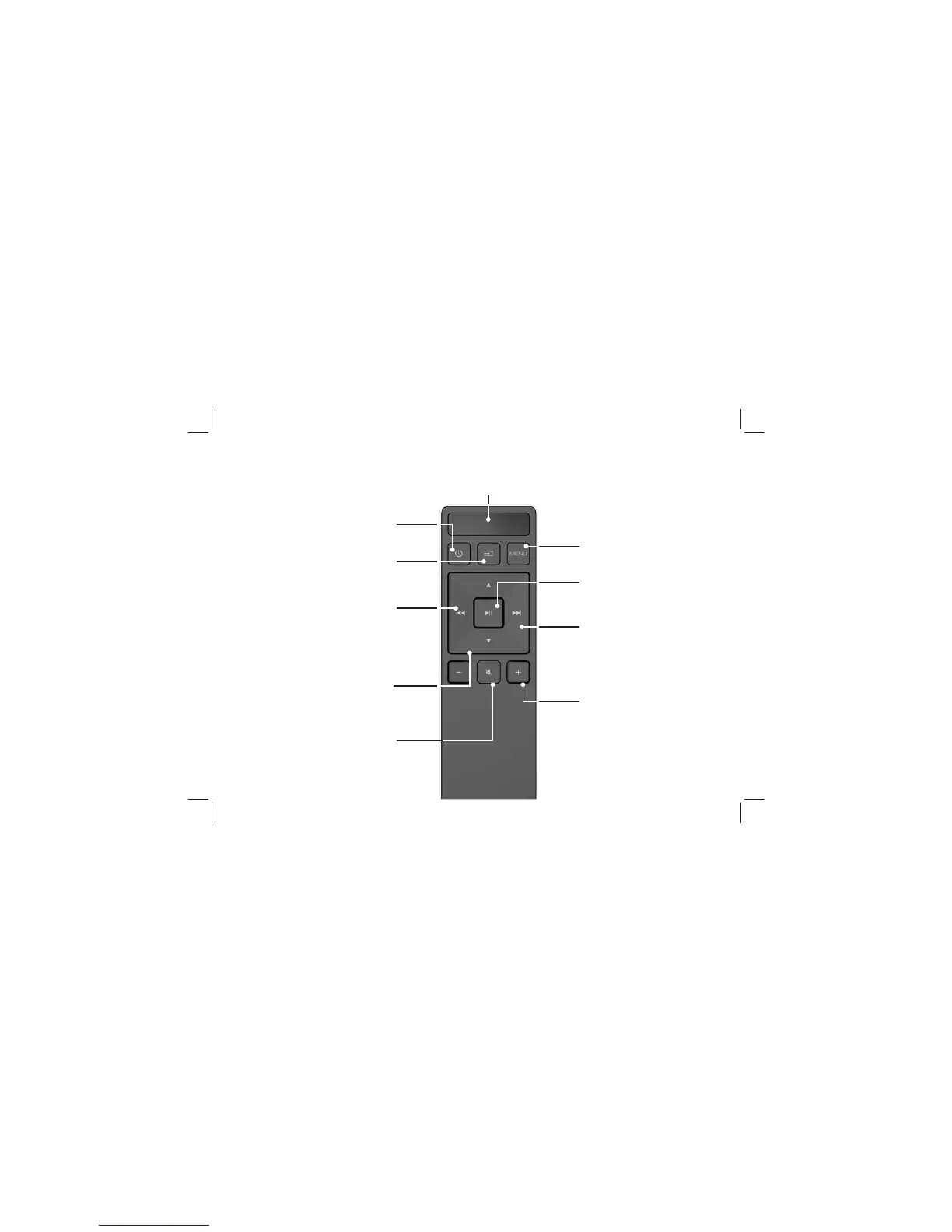
USING THE REMOTE
Volume +/-
Press to increase and

Previous


Menu
Press to access the menu
settings.
Mute

Power

Enter/Play/Pause
Press to select an option.

Next



Display

Input
*Press to change the input
source
Up/Down

and options
*Press INPUT then
Previous

Press INPUT then
Next
to select Bluetooth input.

Related product manuals