Need help?
Do you have a question about the Vision Tech Shop DLP-300 and is the answer not in the manual?
Turn scale power OFF, remove access cover, turn ON, and press calibration switch.
Enter calibration code 9811, set maximum capacity, and press print.
Remove weight, press print, place max capacity, press print again.
Scale returns to normal mode, remove weight, turn OFF, replace cover, turn ON.
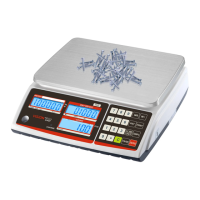
The DLP-300 is a digital weighing scale designed for commercial use, featuring a comprehensive calibration procedure to ensure accurate measurements. Its primary function is to weigh items and display the weight, unit price, and total price, making it suitable for retail environments where precise pricing based on weight is crucial.
The core function of the DLP-300 is to provide accurate weight measurements. It features a digital display that shows the weight in pounds (lb), the unit price in dollars per pound ($/lb), and the calculated total price in dollars ($). The scale supports various operational modes, including "STO NET" and "PREPACK," which likely correspond to different weighing or packaging scenarios.
The calibration process is a critical aspect of the DLP-300's functionality, ensuring its accuracy over time. This procedure involves several steps, starting with powering off the scale and accessing the calibration switch. Once the scale is powered back on and has completed its booting sequence, the calibration switch is pressed to initiate the calibration mode. The display then guides the user through the process, indicating states like "Booting," "SPAN," "CAL F.C.," and "CAL 00."
During calibration, the user is required to input specific values, such as a four-digit code (e.g., 9811) to enter the calibration mode. Following this, the scale's maximum capacity (e.g., 60 lbs) must be entered. The process involves removing all weight from the platter, pressing the "Print" key, and then placing an item of known maximum capacity on the platter, followed by another press of the "Print" key. This sequence allows the scale to establish its zero point and full-scale range accurately. After the calibration is complete, the scale returns to its normal operation mode, ready for use.
The DLP-300 also includes a "TARE" function, which allows users to zero out the weight of a container, ensuring that only the weight of the contents is measured. This is particularly useful in applications where items are weighed in various containers. The "SHIFT" and "AUTO SAVE" functions suggest additional operational flexibility, possibly related to data management or mode selection.
The DLP-300 is designed for straightforward operation, with a clear digital display and an intuitive keypad. The display provides all necessary information at a glance: weight, unit price, and total price, which are essential for customer interaction and transaction processing in a retail setting.
The calibration procedure, while detailed, is designed to be user-friendly, guiding the operator through each step with clear prompts on the display. The requirement to press the "Print" key at specific stages of calibration acts as a confirmation step, ensuring that each phase is completed correctly before proceeding.
The physical design includes an "Access Cover" for the calibration switch, which suggests a measure to prevent accidental or unauthorized tampering with the calibration settings, thereby maintaining the integrity of measurements during normal operation.
The scale's ability to handle different operational modes, such as "STO NET" and "PREPACK," indicates its adaptability to various business needs. For instance, "PREPACK" might be used for pre-weighing and labeling items before they are placed on display, while "STO NET" could be for direct weighing at the point of sale.
The presence of "R1 R2 R3" indicators on the display, along with "RXS2," "USB," and "ETH" labels, suggests connectivity options and potentially memory functions or programmable keys. "USB" and "ETH" (Ethernet) imply that the scale can be connected to external systems, such as point-of-sale (POS) systems, computers, or networks, for data transfer, price updates, or remote management. This enhances its utility in integrated retail environments.
The "AUTO SAVE" feature could be beneficial for maintaining settings or transaction data, preventing loss in case of power interruptions or during routine operations. The "SHFT" key typically indicates access to secondary functions for other keys, expanding the range of operations available on the keypad without increasing its physical size.
The primary maintenance feature highlighted in the manual is the calibration procedure. This process is crucial for ensuring the long-term accuracy and reliability of the scale. The detailed steps, including the removal of the "Calibration Switch Access Cover," indicate that calibration is considered a routine maintenance task that users can perform.
The note regarding the 10-second window to complete a step during calibration emphasizes the importance of timely execution and suggests that the scale has built-in safeguards to prevent incomplete or erroneous calibration. If the step is not completed within the specified time, the scale requires a power cycle (OFF and ON again) to reactivate the calibration switch, which serves as a reset mechanism for the calibration process. This feature helps in preventing the scale from being left in an undefined or partially calibrated state.
The design of the calibration switch being behind an "Access Cover" also implies a level of protection against dust, spills, or accidental activation during normal use, contributing to the scale's durability and reducing the need for frequent cleaning or repair of the switch itself.
The scale's robust construction, implied by its commercial application, suggests it is built to withstand the rigors of daily use in busy retail environments. While not explicitly detailed, the ability to connect via USB and Ethernet could also facilitate diagnostic checks or firmware updates, which are common maintenance activities for modern electronic devices.
In summary, the DLP-300 is a versatile and accurate weighing scale designed for commercial use, with a strong emphasis on precise measurement through a well-defined calibration process. Its user-friendly interface, operational flexibility, and connectivity options make it a suitable tool for various retail and packaging applications, while its maintenance features ensure sustained accuracy and reliability.
 General
| Capacity | 300g |
|---|---|
| Readability | 0.01g |
| Weighing Units | g, oz, ct, dwt |
| Display | LCD |
| Calibration | External calibration |
| Pan Size | 90mm |

 To Next Page