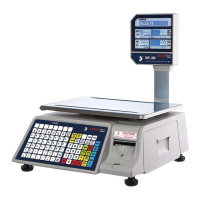
TVP-B/TVP-P Price Computing Scales Operation Manual
Contents
1. INTRODUCTION---------------------------------------------------------------------------------------- - 1 -
2. KEY DESCRIPTION------------------------------------------------------------------------------------- 1 -
3. DISPLAY SYMBOLS----------------------------------------------------------------------------------- - 1 -
4. GENERAL INSTRUCTION--------------------------------------------------------------------------- - 2 -
5. BASIC OPERATION------------------------------------------------------------------------------------- - 2 -
5. 1 Power ON/OFF----------------------------------------------------------------------------------- 2 -
5. 2 Zero the scale------------------------------------------------------------------------------------- 2 -
5. 3 Tare------------------------------------------------------------------------------------------------- - 3 -
5.3.1 Pre-tare------------------------------------------------------------------------------------------ - 3 -
5. 4 Overload Warning------------------------------------------------------------------------------ - 3 -
5.5 Unit price setting--------------------------------------------------------------------------------- - 3 -
5.6 Change unit--------------------------------------------------------------------------------------- - 3 -
6. ACCUMULATOR OPERATION----------------------------------------------------------------------- 3 -
6. 1 Prepare to accumulate------------------------------------------------------------------------ - 3 -
6. 2 Accumulative operation----------------------------------------------------------------------- - 4 -
6. 3 Account operation------------------------------------------------------------------------------ - 4 -
7. UNIT PRICE MEMORY--------------------------------------------------------------------------------- 4 -
7. 1 Save the unit price------------------------------------------------------------------------------- 4 -
7.2 Load the unit price-------------------------------------------------------------------------------- 4 -
8. OTHER FUNCTION------------------------------------------------------------------------------------ - 4 -
8.1 Backlight------------------------------------------------------------------------------------------- - 4 -
8.2 Automatic unit price clear----------------------------------------------------------------------- 5 -
8.3 Commodities Without Weighing------------------------------------------------------------- - 5 -
9. SPECIFICATION---------------------------------------------------------------------------------------- - 5 -
10. DIMENSIONS (inch/mm)---------------------------------------------------------------------------- - 6 -
11. ERROR MESSAGE----------------------------------------------------------------------------------- - 6 -
12.SELECTING THE PRINTER------------------------------------------------------------------------ - 7 -
13. RS232 OUTPUT--------------------------------------------------------------------------------------- - 7 -
13.1 Print Format------------------------------------------------------------------------------------- - 7 -
13.2 Diagram: Serial interface-------------------------------------------------------------------- - 7 -
14. PARAMETER------------------------------------------------------------------------------------------- - 8 -



 To Next Page