7. Usage
7-3) Video recording
- This product’s system records video continuously after normal startup. Ordinary recorded les
are stored as “Normal” les, saving the recent 5 minutes.
- In case that a certain level of impact is given to the car while driving or stopping the impact
sensor is triggered and video les are stored as “Impact” les for over 25 seconds (10 seconds
before the impact, 15-60 seconds after the impact) to a separate folder.
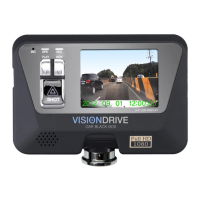
- The les are stored as [Impact] les if the user presses the “SHOT” button of the Vision Drive
even if there is no impact given to the car of if the impact is slight or there is no impact.
- In the case additional [Impact] les are triggered and stored, the le will be saved in a series
in the according folder and the recording time will be extended.
7-4) How to eject memory card
- Eject the SD memory card by following the steps after powering o Vision Drive.
① Car keys should be removed from the car after the car engine stopped is stopped.
② When the car engine stops the Vision Drive will power o after a few seconds and
the LED will shut o. (Vision Drive will completely shut o after the nal video scenes
are safely stored for an additional several seconds using the high capacity backup
battery)
③ Eject the SD memory card by clicking it in.
- The ejected memory card used for video playback on the PC should be inserted back in the
Vision Drive the next time it is used. Video record is not possible without a SD memory card.
7-5) Error message guidance
- Insert the SD card, when the voice of “Insert SD card” is announced in the case no SD card is
inserted or SD card defect.
- Purchase and use a new card in case that the same voice guidance repeats although an
SD card has been already inserted because it is regarded that the SD card has defects
- Consult us or the warranty service center if there is a system error (e.g. no booting) excluding
SD card errors.



 To Next Page