8. PC analysis program usage
8-1) PC analysis program preparation
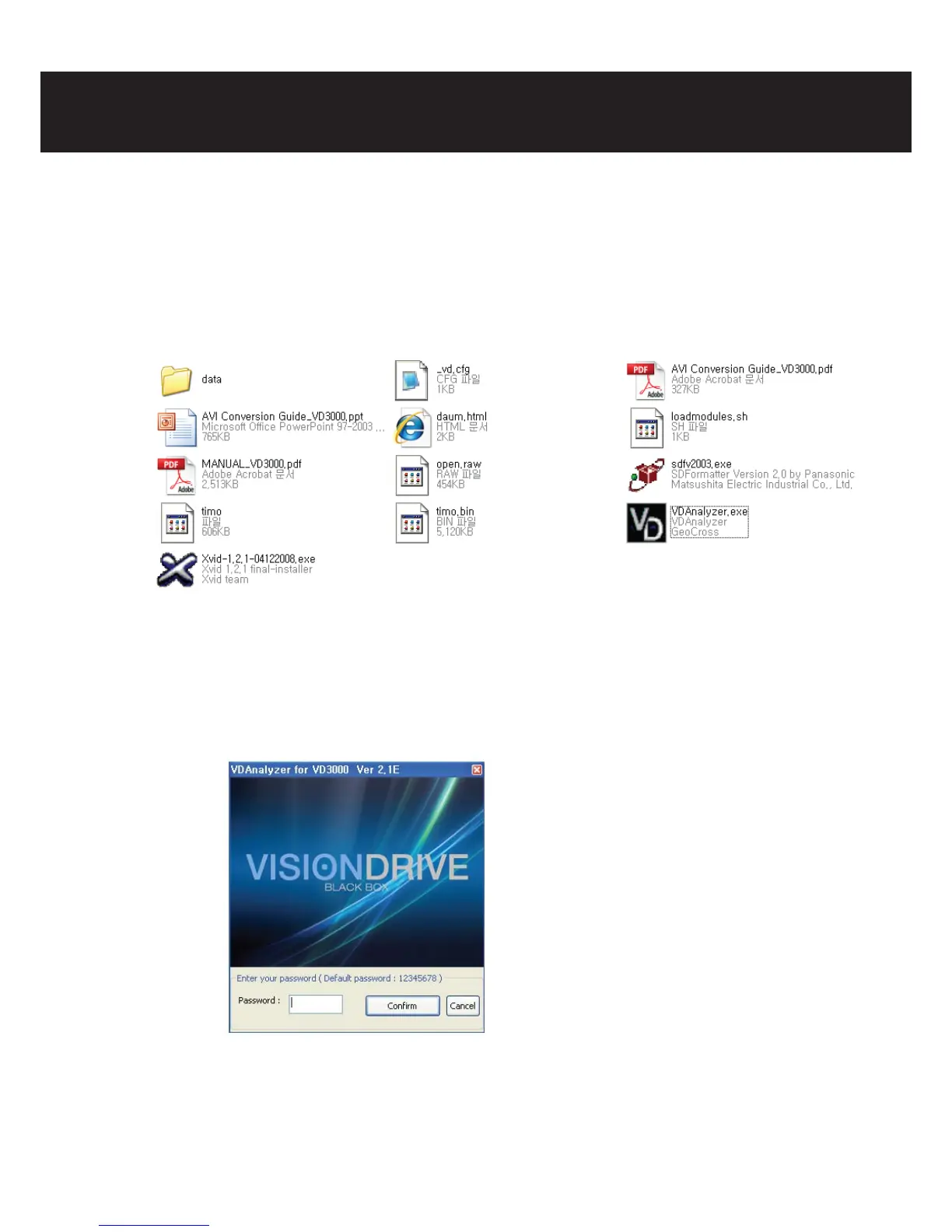
-Execute “VDAnalyer.exe” program copied in the SD card after the SD memory card is connected
to PC.
* An optional SD card reader (USB adaptor, SDHC compatible) shall be necessary in case there is no
slot for SD cards (SD or SDHC) or PC does not support SD cards. (Additional cost)
8-2) VD Analyzer Program usage
- Startup: The following screen is shown if VDAnalyer.exe in the SD card is executed after a SD
memory card is connected to a PC. A correct password needs to be entered.
(The default password is “12345678”, new password selection will be prompted at the
conguration page)
- File reading: Stored folders (Normal/Event) in the SD card are displayed if (OPEN) icon is clicked.
If one of folders is chosen, a video le list appears on the top right corner. File names are
displayed based on the time when videos were stored.
(e.g.: 20090213-130534-1.vd: Feb 13th, 2009. 13:05 hour 3 seconds, 1 means normal)



 To Next Page