10 D-302754
3.11 Control Panel Final Closure
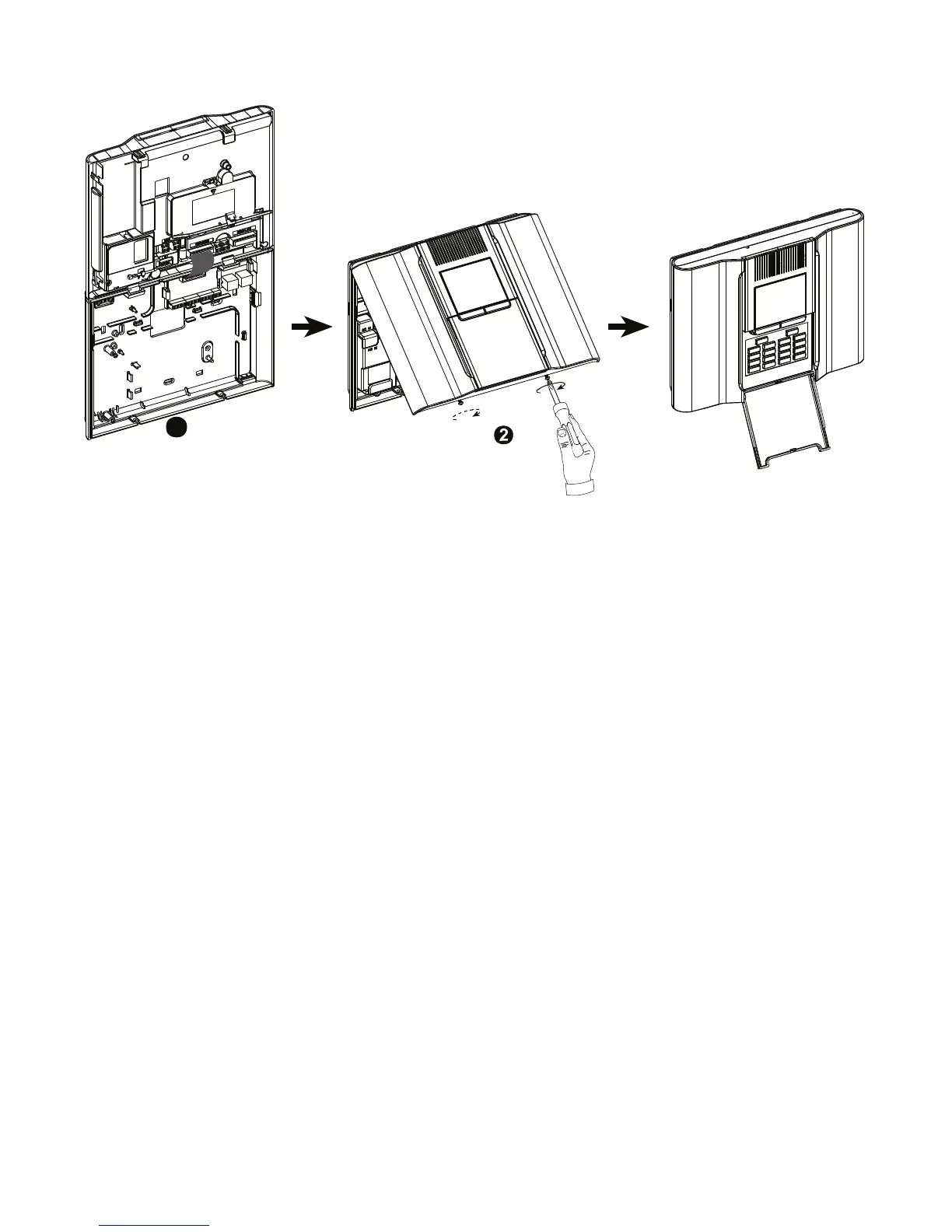
Control panel final closure is shown below.
Close the panel and
fasten the 2 screws
1
Connect the flat cables,
between front and back units,
in their respective connectors
(up to 3, according to options).
Figure 3.11 - Final Closure



 To Next Page