Need help?
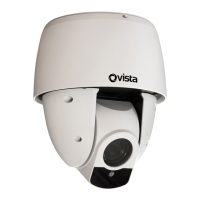
Do you have a question about the Vista VMI-2MPX23IR-SMW and is the answer not in the manual?
Fix the mounting bracket to the desired position, connect cables, and attach the camera.
Drill a hole, prepare the camera, and secure it within the ceiling mount.
Mark holes on the wall/ceiling, attach the bracket, thread cables, and secure the camera.
Details on SD Card Slot, Light Sensor, Lens, IR LEDs, Alarm I/O, DC 12V Audio I/O, and Ethernet Port.
Information regarding the reset button function and available power supply options (DC and PoE+).
 General
| Brand | Vista |
|---|---|
| Model | VMI-2MPX23IR-SMW |
| Category | Security Camera |
| Language | English |


 To Next Page