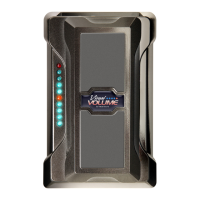
Originally introduced in 1995, the all new Visual Volume 10th
Anniversary Edition is back by popular demand. Like all useful
things, Visual Volume started with a need. If you use a volume
pedal for anything more than simple fades and approximate
levels, you know that being able to come back to a
specific volume level with some accuracy is really very
useful. It can be quite difficult to get to just the right
level, then come back to that level by ear later in
a stage environment. Visual Volume gives
you some help with that. The 0-10 LED
scale allows you to quickly find the right
volume level without any guessing.
NOTE: Please use a high quality regulated 9VDC adapter like the 1 SPOT.
(Boss PSA, Dunlop ECB-03, Ibanez AC-109, Morley 9V also acceptable.)
A 9V alkaline battery will last at least 25 hours.
Your new Visual Volume pedal can be used in several different ways. Here are some sample applications...
GUITAR MUTE: Between songs, rock it all the way back and your guitar is muted. Or switch guitars while it’s rocked back.
No hum, buzz or clicks get through.
BACK FOR RHYTHM/UP FOR LEAD: Set it to 5 for rhythm chords, and rock it forward for leads.
You can get back to your rhythm level by rolling back to 5.
BOOST: Set to active mode with some additional gain. You can rock it back to unity gain, having clean boost available at a touch.
BUFFER: The active mode of Visual Volume has the
Pure Tone
buffer circuit in it. Even when set at unity gain, the buffer makes
it sound like you are plugged directly into your amp even when you have other pedals and long cables after it.
BOWED NOTES: You have to be good with your feet, but once you get the hang of it, you can rock back to zero at the end
of a note and rock forward as you pick the note for a soft fade-up per note.
FADE IN/FADE OUT: The indicators help you keep control of how much you fade and help you keep a consistent fading rate.
GAIN CONTROL: Put Visual Volume before distortion in your chain of effects and use it to control the drive level; this is just
like using the volume knob of your guitar except you get to keep playing while you adjust the distortion level.
EXPRESSION PEDAL: Use a standard audio insert cable. Plug the two mono plugs into Input 1 and Output 1. Take the stereo plug
at the other end and plug into the controller jack of whatever you want to control (keyboard, multi-effects, etc.). If this doesn’t
work, simply swap the two mono plugs. Visual Volume must be in Passive mode for Expression Pedal applications.


 To Next Page
 Loading...