EasyManua.ls Logo

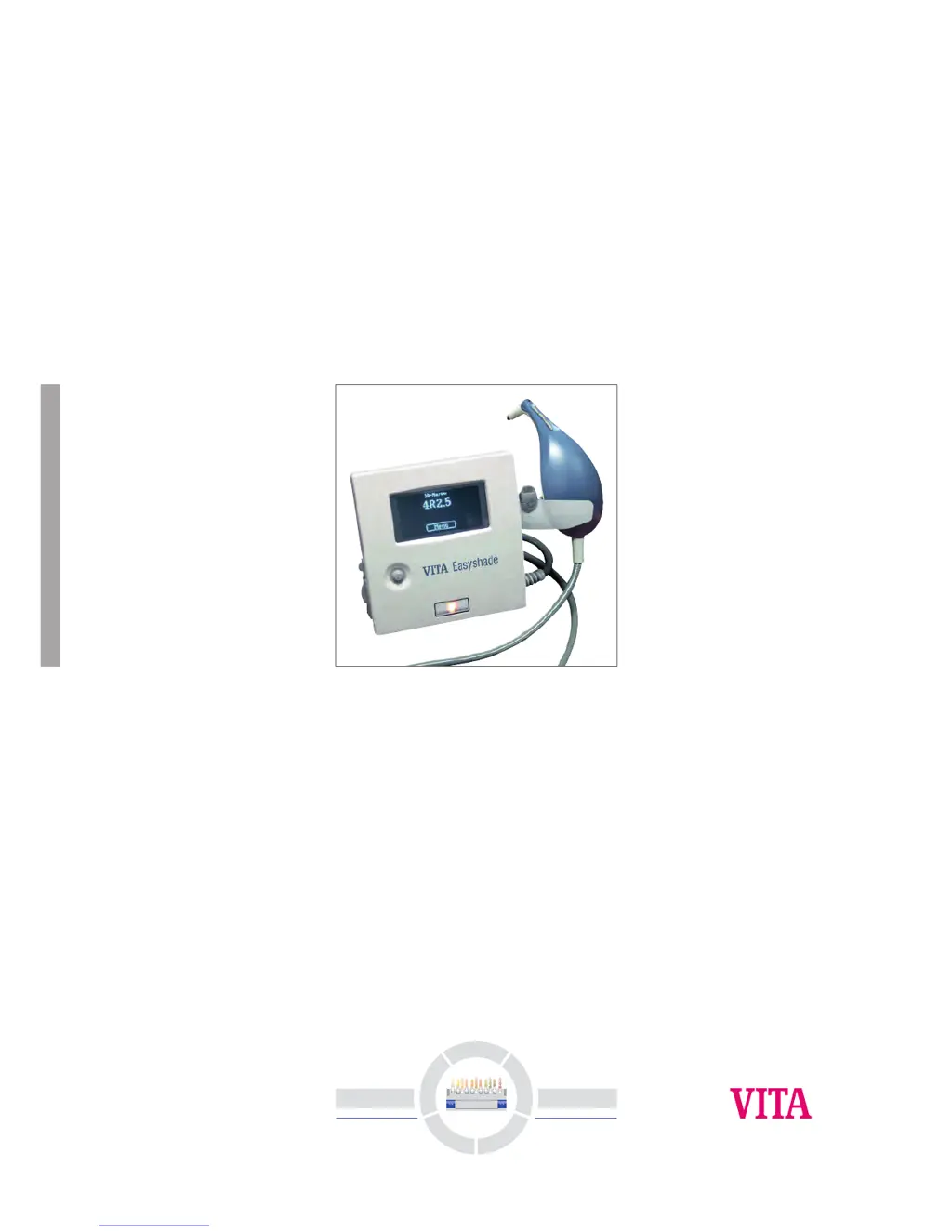
vita Easyshade - User Manual

Default Icon
46 pages
Print Icon
To Next Page IconTo Next Page
Loading...
3
D
- Master
Vita System
E
q
u
i
p
m
e
n
t
A
l
l
-
C
e
r
a
m
i
c
s
S
e
r
v
i
c
e
V
e
n
e
e
r
i
n
g
M
a
t
e
r
i
a
l
s
T
e
e
t
h
Operating manual
Date of issue: 5-04
VITA Easyshade
®

Questions and Answers

  • S
    Steven DanielsAug 17, 2025
    What to do if my Vita Medical Equipment Easyshade displays "---"?
    • A
      Anthony YoungAug 17, 2025
      If your Vita Medical Equipment Easyshade displays "---" in place of a Classical or 3D-Master shade after a measurement, it could be due to the color being outside the known range of dental shades, or incorrect probe positioning during measurement. Try measuring again, ensuring you use proper probe placement technique.
  • K
    kingalyssaAug 22, 2025
    How to fix Error Message “Lamp Intensity Low)” or “Lamp Not Secure” in Vita Medical Equipment Easyshade?
    • J
      John NelsonAug 22, 2025
      If your Vita Medical Equipment Easyshade displays the error message “Lamp Intensity Low” or “Lamp Not Secure,” check the lamp according to the instructions in Section 9.3 of the manual. Replace the lamp if necessary.
  • B
    Brandon PattersonAug 25, 2025
    What to do if my Vita Medical Equipment Easyshade displays Error Message “Please Re-measure”?
    • K
      Kimberly GomezAug 26, 2025
      If your Vita Medical Equipment displays the error message “Please Re-measure” with sub-errors like “Unstable,” “Lifted too soon,” “Angle out of range,” “Too close to edge,” or “Surface too irregular,” make sure to hold the probe still during measurement, wait for the beep before lifting the probe, hold the probe perpendicular to the surface, keep the probe at least 2mm from the edge, and, if possible, measure a different area.
  • D
    deborah90Aug 28, 2025
    How to resolve Error Message “Please Re-calibrate” on Vita Medical Equipment?
    • M
      Michael MartinAug 28, 2025
      If your Vita Medical Equipment displays the error message “Please Re-calibrate” with sub-errors like “Bias level” or “Check cal block”, ensure you hold the probe still during measurement and check the top surface of the calibration block.
  • H
    Heidi HoganAug 31, 2025
    Why are the shades displayed by my Vita Medical Equipment Easyshade consistently inaccurate when testing on Shade Tabs?
    • M
      Megan BlackAug 31, 2025
      If your Vita Medical Equipment Easyshade consistently displays inaccurate shades when testing on Shade Tabs, recalibrate the unit. Ensure the calibration block and probe tip are clean before recalibrating. Use only approved Easyshade Infection Control Shields. When measuring, ensure the probe touches the surface at a 90° angle in the middle 1/3 of the Shade Tab and remains still during measurement. Also, confirm that the Easyshade is in Shade Tab Mode.
  • H
    holly71Sep 2, 2025
    What does Error Message “HP” mean on my Vita Medical Equipment Easyshade?
    • D
      David JuarezSep 2, 2025
      If your Vita Medical Equipment Easyshade displays an error message starting with “HP” (followed by “Config”, “Enum”, etc.), turn off the Easyshade power, wait 10 seconds, and then turn it back on. If the error message persists, contact the VITA-Hotline at +49 - 7761 / 562 222.
  • Z
    ztaylorSep 5, 2025
    What to do if my Vita Medical Equipment Easyshade does not calibrate?
    • P
      patriciarobinsonSep 5, 2025
      If your Vita Medical Equipment Easyshade does not calibrate or repeatedly prompts to "Calibrate Again", ensure the probe tip is properly placed into the calibration port aperture, held at a 90º angle, and not lifted before the "beep" indicating calibration completion. Reposition the probe as necessary.
  • J
    James SmithSep 7, 2025
    What to do if pressing probe onto calibration block does not initiate the calibration process on my Vita Medical Equipment Easyshade?
    • A
      Anthony RobertsSep 8, 2025
      If pressing the probe onto the calibration block does not initiate the calibration process on your Vita Medical Equipment Easyshade, remove the calibration block and retainer. Make sure the calibration block moves freely up and down within the retainer. Replace the calibration block and retainer onto the cradle assembly and then calibrate the Easyshade.
  • J
    Justin AndersonSep 12, 2025
    Why won't my Vita Medical Equipment Easyshade make a measurement after power-up?
    • A
      Aaron MillerSep 12, 2025
      If your Vita Medical Equipment Easyshade will not make a measurement after powering up, wait until the lamp warm-up is complete.
  • W
    william88Sep 13, 2025
    How to fix a Vita Medical Equipment Easyshade that does not power up?
    • T
      Taylor JohnstonSep 13, 2025
      If your Vita Medical Equipment Easyshade does not power up, check that the unit is plugged in and has the correct line voltage.

Summary

Getting started

Installation of the unit

Steps for setting up the VITA Easyshade device and its components.

Power-up

Procedure for turning on the Easyshade device and initial startup screens.

Applying an Infection Control Shield

Instructions for correctly attaching a disposable shield to the probe tip.

Calibrating Easyshade

Measuring a tooth

Measuring the Base Shade of a Tooth

Determining the primary shade of a natural tooth using the device.

Verifying the Shade Accuracy of a Restoration

Care and Maintenance

Cleaning and Disinfecting

Appendix

Self Test

Performing internal diagnostics to check the operational status of the Easyshade.

Troubleshooting

Common problems and their solutions for operating the Easyshade.

vita Easyshade Specifications

General IconGeneral
Device TypeDental Shade Matching Device
ManufacturerVITA Zahnfabrik
TechnologySpectrophotometer
Battery TypeRechargeable Lithium-Ion
CalibrationAutomatic
Measurement RangeVITA Classical and 3D-Master Shades
ConnectivityUSB
Data ExportYes
Power SourceBattery
CompatibilityVITA Shade Guides
Operating Conditions10°C to 40°C, 30% to 85% RH

Related product manuals