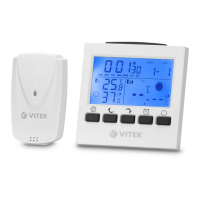
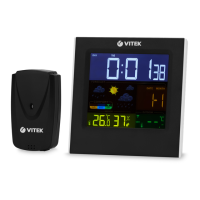
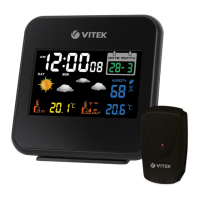
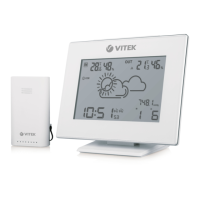
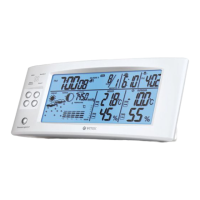
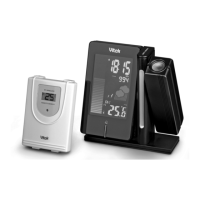
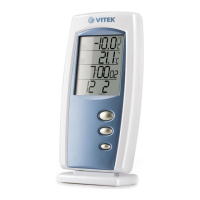
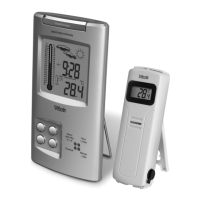
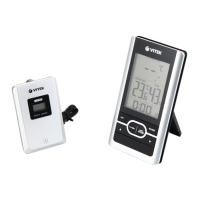
The VITEK VT-6412 is a wireless weather station designed for household use, displaying current time, calendar, ambient temperature, and relative humidity. An external sensor allows for monitoring outdoor temperature.
Function Description:
The main unit (1) features a display for current time, alarm actuation, snooze function, and weather forecast symbols. It also shows ambient temperature, relative humidity, and external temperature. Sensory buttons (3, 4, 5, 8, 9, 11) are used for various settings and functions.
The external sensor (17) transmits data to the main unit, allowing for outdoor temperature monitoring. It has a data transmission channel tuner (21) to match the main unit's channel.
Key Features:
- Time and Date Setting: Users can set the time format (24H or 12H), current time (hours and minutes), and date (year, month, and day). The day of the week can be displayed in multiple languages (English, Danish, Spanish, Dutch, Italian, French, German).
- Alarm Function: The device supports two alarms (AL1 and AL2). Users can set the alarm actuation time for both. A snooze function is available, temporarily silencing the alarm for 5 minutes. The alarm sound signal changes from single beeps to group signals, eventually sounding constantly after 30 seconds.
- Temperature Measurement: Temperature units can be switched between Celsius (°C) and Fahrenheit (°F).
- Weather Forecast: The display shows weather forecast symbols (6) such as Sunny, Partly Cloudy, Cloudy, and Rain. The forecast accuracy is approximately 50%, increasing with sudden weather changes. The "Sunny" symbol also indicates clear weather at night.
- Display Illumination: When powered by batteries, the display illumination can be activated by touching any button and will turn off after 5 seconds. When powered by the adapter, the display illumination remains on.
- Power Options: The main unit can be powered by three AAA batteries (not included) or a power adapter (23). The external sensor requires two AAA batteries (not included).
Important Technical Specifications:
- Main Unit Temperature Range: 0°C to +50°C (32°F to 122°F)
- External Sensor Temperature Range: -30°C to +70°C (-22°F to 158°F)
- Temperature Measurement Precision: +/-1°C
- Relative Humidity Measurement Limits: 25% to 95%
- Relative Humidity Measurement Precision: +/-5%
- Data Transmission Frequency: 433 MHz
- Number of Data Transmission Channels: 3
- Transmission Range: Maximum 30 m
- Main Unit Power Supply: 3 AAA batteries, 1.5 V
- External Sensor Power Supply: 2 AAA batteries, 1.5 V
- Power Adapter Supply Voltage: 100-240 V ~ 50 Hz 0.3 A Max
- Power Adapter Output Voltage: 5.0 V 1.2 A
- Unit Operating Life: 3 years
Usage Features:
- External Sensor Placement: The external sensor (17) can be hung using the hanging spot (18) or placed on its base. It should be directed towards the main unit (1) and positioned to avoid moisture and direct sunlight. It is not recommended to install the external sensor in places with temperatures below 0°C, as this may shorten battery life and data transmission range. The sensor should not be placed more than 30 meters from the main unit. To optimize signal reception, minimize obstacles like doors, walls, or furniture, and avoid placing the sensor near metal items or electrical appliances.
- Main Unit Setup: Unfold the base (14), open the battery compartment lid (13), and install three AAA batteries, observing polarity. A sound signal will confirm installation.
- Sensor Pairing: After battery installation, the main unit (1) will attempt to pair with the external sensor (17). The data reception symbol (10) will flash, and upon successful pairing, the outside temperature (10) will be displayed. Pairing should not exceed 3 minutes.
- Channel Selection: To change the data reception channel on the main unit, touch button (3) repeatedly. Ensure the external sensor (17) is set to the same channel by opening its battery compartment (19), removing batteries, and adjusting the tuner (21).
- Power Adapter Use: Before using the power adapter (23), ensure the home mains voltage matches the adapter's operating voltage. Insert the adapter plug (22) into the socket (15) and plug the adapter into a power outlet. The display illumination will light up. When the main unit is powered by the adapter, the batteries in the battery compartment will switch off.
Maintenance Features:
- Self-Repair Prohibition: Do not attempt to disassemble or repair the unit yourself. In case of malfunction or dropping, unplug the unit and contact an authorized service center.
- Battery Management: Use only new batteries of the specified type. Do not mix new and old batteries. If the unit will not be used for a long time, remove batteries from both the main unit and the external sensor.
- Cleaning: Clean the main unit (1) and external sensor (17) bodies with a soft, slightly damp cloth, then wipe dry. Do not use abrasives or solvents.
- Water Immersion Prohibition: Do not immerse the main unit (1) or external sensor (17) into water or any other liquids.
- Storage: Store the unit in a dry, cool place, out of reach of children and disabled persons.
Safety Measures:
- The device is not intended for medical purposes, public information, or as a measuring instrument.
- Avoid exposing the unit to strong electromagnetic fields, strong vibration, or dropping, as this may lead to malfunction.
- Do not allow children to use the unit as a toy or touch the power adapter during operation.
- Keep the unit dry and do not immerse it in water or other liquids.
- Ensure the power adapter's voltage matches the home mains voltage.
- Transport the unit in its original packaging to prevent damage.
This product conforms to the EMC Directive 2014/30/EU and the Low Voltage Directive 2014/35/EU.

 Need help?
 General

 To Next Page