17
7. Function Description
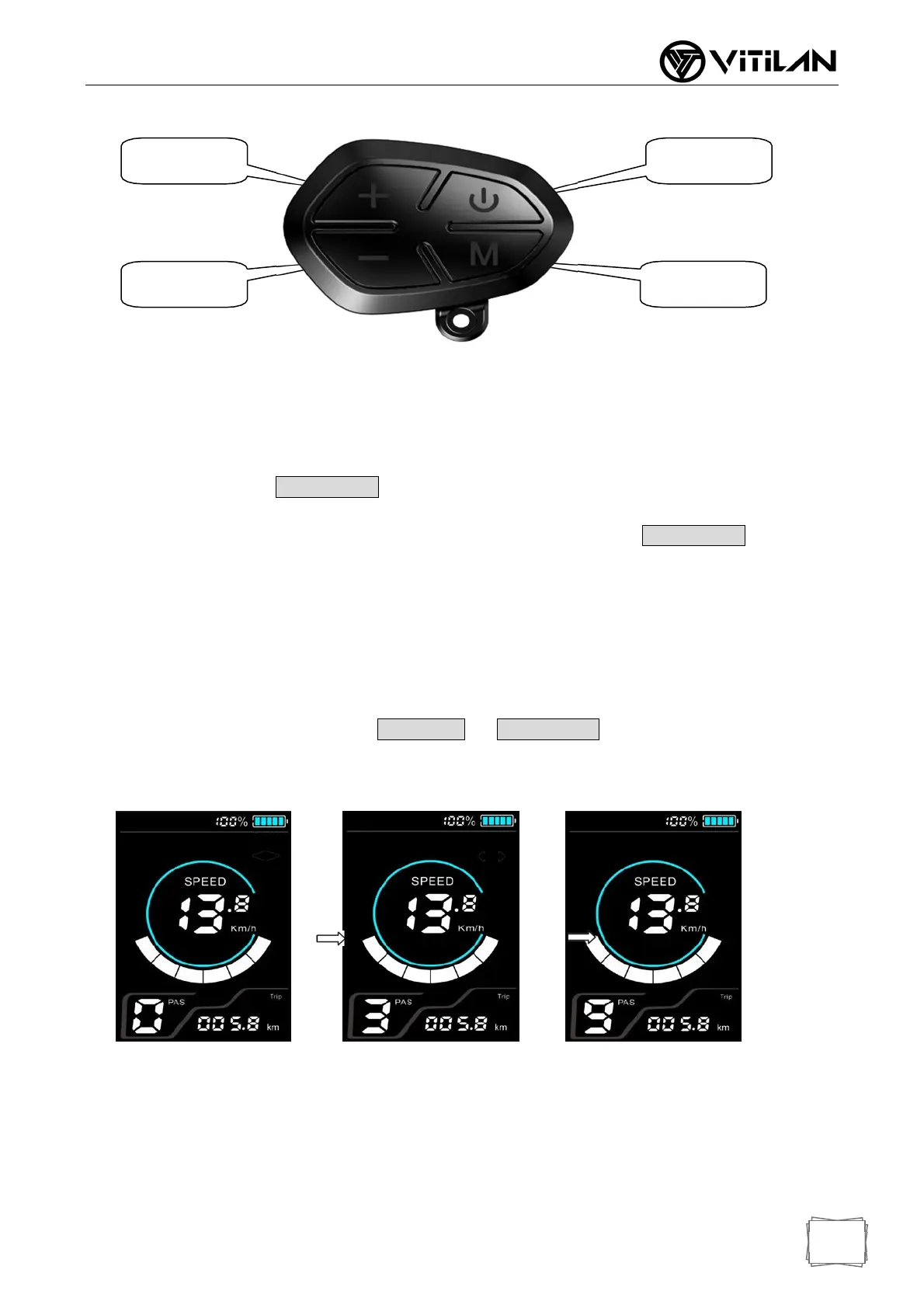
Button description as follow:
7.1 Power On/Off
Long press(1 second) when the display is off, display, the display is fully displayed
and starts to work, the power of the controller is turned on; Long press(1 second) when the
display is on, display power off, the power of the controller is turned off. If you ride for 5 minutes (time can
be set by the user) without operating the meter, the meter will automatically turn off the power.
7.2 PAS Gear Choose
In the manual shift mode, short press or to switch the assist position,
change the assist ratio, the lowest 1st,
the highest 9th, the default is 1st when the meter is turned on, and 0 is
the neutral assist.
0 Gear 3 Gear 9 Gear
7.3 Mileage Mode Switch
PowerButton
PowerButton
PlusButton MinusButton
PlusButton PowerButton
MinusButton
ModeButton


 To Next Page