25
(3) Remote control indicator○
h
: The indicator will lit up when
enable Distance Control Toolbar in PC software, lit off when
disable the toolbar.
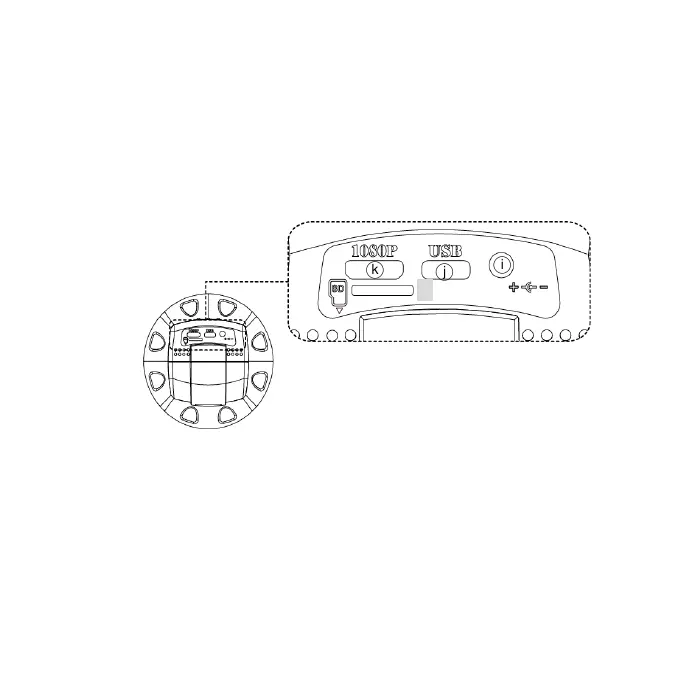
1.5.1 Power/USB/HDMI/Micro SD port
Caution: Please hold the cable when remove from microscope
and do not disassemble cables forcefully.
(1) HDMI○
i
:The HDMI port is used to connect the microscope to a
screen. When the device is in HDMI mode, connect the
microscope to the screen using the HDMI cable from the box.
* For TV screen connections, make sure to choose the
homologous image ratio and format.
(2) USB○
j
:USB port to use optional accessory IMB04 to PC.
(3) Power○
K
:It’s only compatible with the cord in the box.
k
j
i
○
l


 To Next Page