18
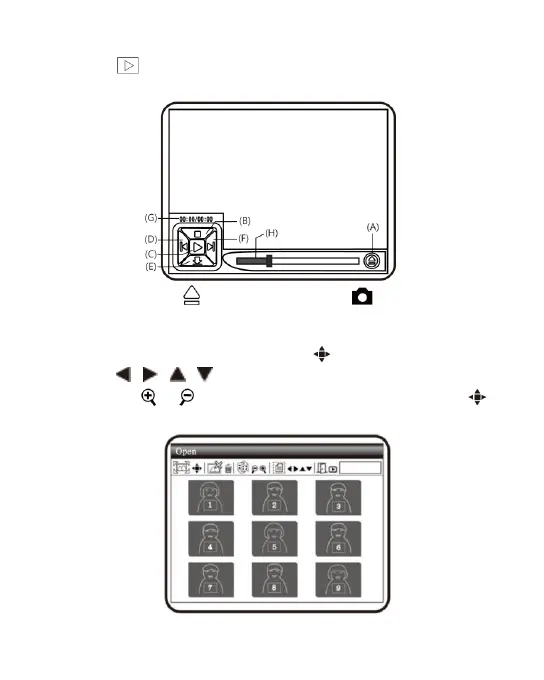
(2) Play : Please refer to below following for a description the
Video Play mode.
(A) Open File : Press the button of (Camera) in the
mode of Video Play to enter the interface of file selection.
Select the demanded file as in the following image. After
selection, press the button of to play. Use buttons of
、 、 、 to select file type, file slot, file folder file.
Use & to swift page, one page has 9 files. Press
button to play vide.



 To Next Page