Display setting
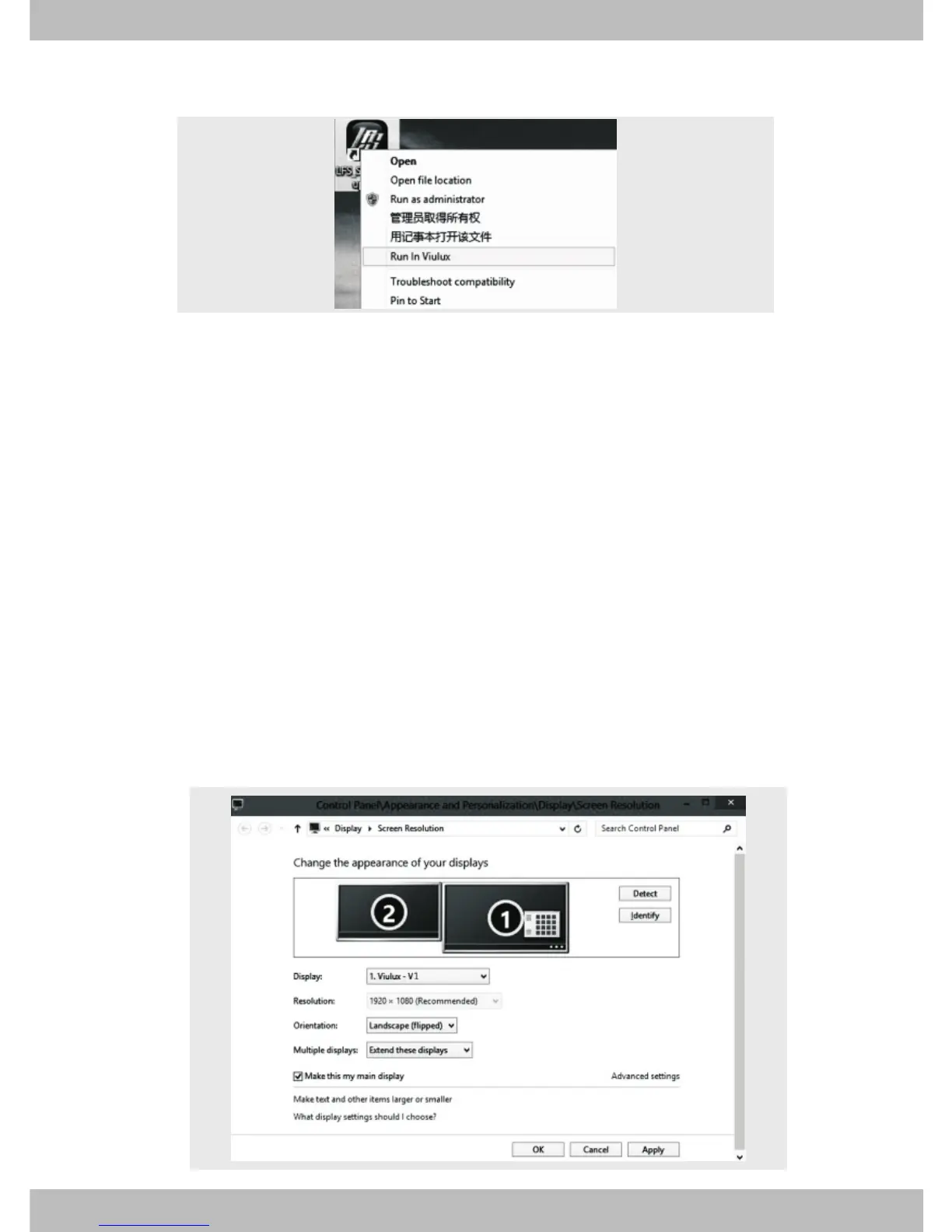
If there are two screens in the window, this indicates that
the VR headset has been correctly connected to the
computer and is recognized by the computer. If there is only
one screen in the window, this indicates that the VR
headset is not correctly connected to the computer and
recognized by the computer. Please refer to the “Connect
and install VR headset” of this user instructions for
solutions.
Right click on the desktop and select “Screen resolution”. The
window shown below will pop up.
ViuLux management software may not be able to support
certain game or video. To run this type of game or video,
please refer to “Display setting”.
Note:
*
*


 To Next Page