In the “Display” option, generally the [Computer display] is
defaulted. For running certain game or 3D video, please
select [ViuLux V1] and check the “Make it my primary display”
option.
In the “Resolution” option, please set the resolution as
[1920*1080].
In the “Direction” option, generally [Horizontal] is defaulted.
However, depending on the graphics card, the display
function inside the headset may differ. If the display function
is incorrect, please modify the direction in the “Direction”
option until the display image is correctly displayed.
In the “Multi-display” option, please select “Expand these
displays”.
Note:
5.Setup instructions
Before using ViuLux V1, please confirm that the HDMI and USB
ports on the computer work properly; when using ViuLux V1,
please confirm that the HDMI/USB data cable has been connected
to the computer;
Before using ViuLux V1, please install ViuLux V1 management
software by referring to the Installation and Use Wizard for ViuLux
V1 Management Software;
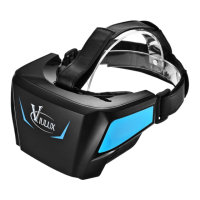
ViuLux V1 headset provides two sets of lens for you to choose
depending on your visual condition (in generally, A set (with a high
base) is for normal visual, and B set (with a low base) is for
nearsighted person with a myopic degree below 600°.
The head band of ViuLux V1 headset is adjustable. Please adjust
the head band based on the actual situation of individual choice;
HDMI/USB data cable should be removed when not used in order
to extend the service life. It is prohibited to bend the data cable
severely in order to prevent the data cable from damage.
*
*
*
*


 To Next Page