Install management software
For better use of this VR headset, please download and manually
install ViuLux management software to your computer. To download
management software: http://en.3dinlife.com/service/download/
Note:
Security firewall or other similar headset driver may cause
abnormal installation of management software if turned on
during installation. Please turn off these programs during
installation of management software.
If the initial installation of management software fails, please
right click the management software installation icon and
select “Run as the Administrator” to install again.
The management software can provide quick run function:
right click game or 3D video icon and select “Run in ViuLux”.
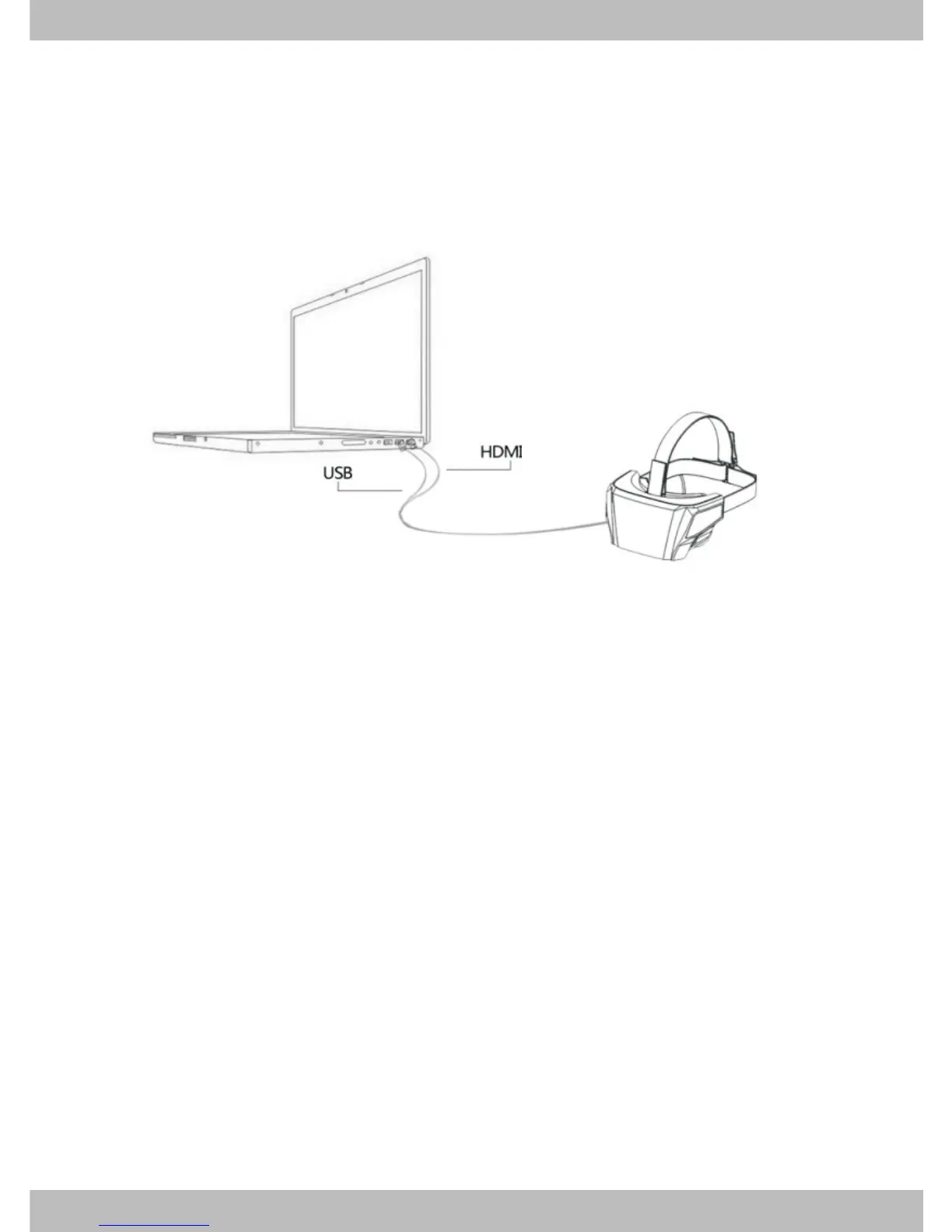
Connect the headset to notebook
Put the helmet horizontally on the table;
Connect the HDMI/USB data cable to the notebook, as
indicated in the figure below.
*
*
*


 To Next Page