37
6.6 Child lock
Activate this setting to prevent the microwave being accidently started by
small children and other people who are not aware of how to operate it.
The child lock symbol OFF appears on the display (6, fig. 1) and the
product cannot be started while this function is active.
• Press the Stop/Cancel button (9) and hold it until an audible tone is
emitted and the OFF symbol for the child lock appears on the display
(6). The buttons and the dial of the microwave are now inactive.
• To deactivate the child lock, press the Stop/Cancel button (9) and hold it until an audible tone is
emitted and the OFF symbol indicating the child lock goes out.
6.7 Microwave mode
1. Put the food in a microwave-proof container and place it in the middle of the turntable (18). Close
the door (1).
2. Press the Stop/cancel button (9) to reset all previous settings.
3. Select the desired microwave power level by pressing the Power button (5). The table below shows
the selection of the power settings.
Button presses Display Power Code
1 time 100P 100% H
2 times 80P 80% M.H
3 times 60P 60% M
4 times 40P 40% M.L
5 times 20P 20% L
4. Set the desired cooking time using the Time/weight/ automatic programs dial (10). You can set a
maximum cooking time of 60 minutes.
5. Press the Start button (4) to start the cooking process. The remaining time, MW (microwave) and
the code of the power setting are shown on the display (6).
Note
You can change the time during the cooking process.
6. Operating instructions
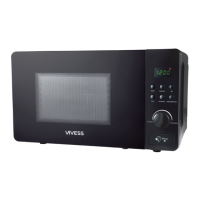
Fig. 1
MWG9001SW_A5_130911.indb 37 11/9/13 2:03 PM


 To Next Page
 Loading...